
Key facts
- Manuals
- 2
- Categories
- 1
- Languages
- ZH
- Last added
- 2012-03-15
Featured 1 manuals
ASRock G41C-GS / G41C-S Motherboard Installation Guide
This guide provides step‑by‑step instructions for installing the ASRock G41C‑GS and G41C‑S motherboards. It includes detailed specifications, supported CPUs and memory types, and explains how to connect power, SATA, USB, audio and LAN interfaces.
The document also covers BIOS configuration, CMOS reset procedures, and compliance information required for safe operation in various regions. It is intended for system builders and technicians who need to set up or service these motherboards. This manual is written in Chinese.
Covers: Mainboard Specifications · Supported CPUs · Memory Support · PCI/PCIe Slots · SATA and IDE Interfaces · Onboard Connectors and Interfaces
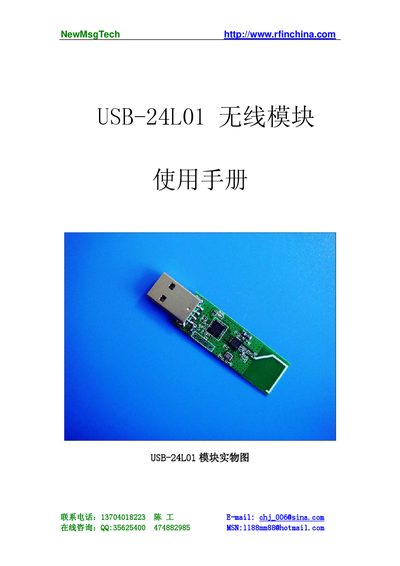
NewMsgTech USB-24L01 Wireless Module Programming Manual
The USB-24L01 is a USB‑interface wireless data‑transfer module that uses the nRF24L01 RF chip in the 2.4 GHz ISM band. It offers a 2 Mbps data rate, low power consumption, and built‑in CRC for reliable communication between PCs and other devices.\n\nThe manual describes how to set up the PC programming environment, configure addresses and channels, and use the NetUSB library functions such as NetUSB_open, NetUSB_writeData, and NetUSB_SetREF_CH for controlling the module from Windows applications. This manual is written in Chinese.
Covers: 产品概述 · 基本特点 · 使用方法 · PC端编程环境设定说明 · NetUSB库函数说明 · 配置无线发送地址
Latest 1 manuals
ASRock G41C-GS / G41C-S Motherboard Installation Guide
Installation Guide 11 pages · 859 KB · ZHInstallation guide for the ASRock G41C-GS and G41C-S micro‑ATX motherboards, covering specifications, connectors, BIOS setup and safety information.
NewMsgTech USB-24L01 Wireless Module Programming Manual
Programming Manual 9 pages · 18.4 MB · ZHThe NewMsgTech USB-24L01 wireless module programming manual provides an overview, features, usage instructions, and NetUSB library API details for PC…
Which document do I need?
Installation Guide
Mounting, wiring and first power-up. Read it before the hardware goes in.
Programming Manual
Instruction set, parameters and examples for configuring or programming the device.
Questions answered in 1 manuals
How do I open the USB‑24L01 device from a PC program?
Call the NetUSB_open function with the device index, vendor ID and product ID to open the specified NetUSB device.
From: NewMsgTech USB-24L01 Wireless Module Programming Manual
What is the default wireless transmit address?
The default Tx address is {0x34, 0x43, 0x10, 0x10, 0xe7}.
From: NewMsgTech USB-24L01 Wireless Module Programming Manual