
Key facts
- Manuals
- 4
- Languages
- ZH · EN
- Last added
- 2026-09-30
Featured AC manuals
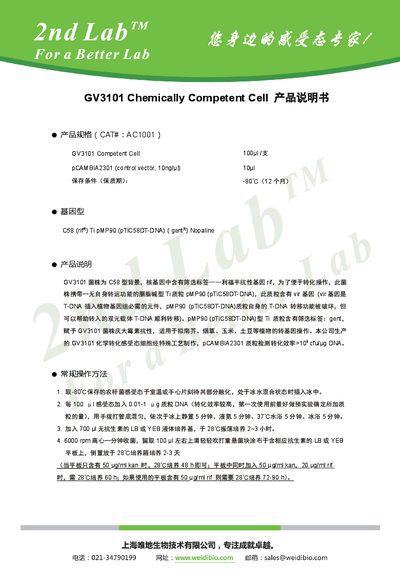
GV3101 Chemically Competent Cell Product Specification
GV3101 is a C58‑type Agrobacterium strain engineered with rifampicin resistance (rif) and gentamicin resistance (gent). The cells are supplied as 100 µl aliquots at –80 °C and include the control vector pCAMBIA2301 (10 ng/µl). The product achieves a transformation efficiency greater than 10⁴ cfu/µg DNA.
The document provides a step‑by‑step transformation procedure, antibiotic formulations, and media recipes (LB and YEB). It also lists common antibiotic resistance profiles for Agrobacterium strains and important handling precautions such as limiting plasmid volume to 10 % of the competent cell volume and avoiding excessive rifampicin concentrations. This manual is written in Chinese.
Covers: Product Specifications · Product Description · Standard Transformation Procedure · Antibiotic Formulations · Agrobacterium Antibiotic Resistance · LB and YEB Media Formulations
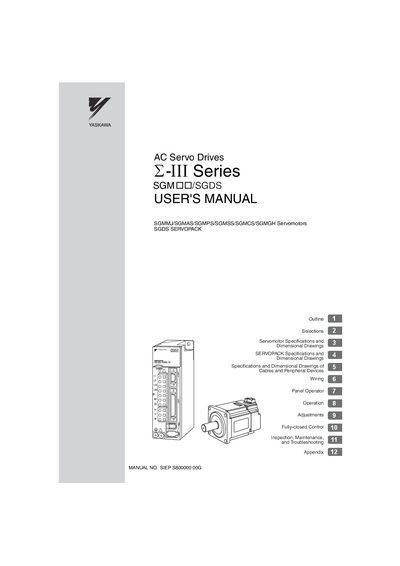
YASKAWA -III Series AC Servo Drives User Manual
This manual covers the full range of information for the YASKAWA -III Series AC Servo Drives, including selections, servomotor and SERVOPACK specifications, dimensional drawings, wiring, panel operation, adjustments, fully‑closed control, and troubleshooting. It is intended for engineers, installers, and maintenance personnel who work with the SGM/SGDS servopacks and associated servomotors.
Safety precautions, handling guidelines, and detailed installation steps are emphasized throughout, with warnings and cautions highlighted to prevent injury, electric shock, or equipment damage. The document also lists related manuals and provides contact information for YASKAWA offices worldwide.
Covers: Outline · Selections · Servomotor Specifications and Dimensional Drawings · SERVOPACK Specifications and Dimensional Drawings · Cables and Peripheral Devices Specifications · Wiring
Stanley AC 500 Access & Alarm Server Quick Start Guide
This Quick Start Guide is aimed at experienced engineers familiar with Stanley security products. It includes an installation diagram, wiring key, and references to the full installation guide on the supplied CD. Safety considerations for hardware installation and software configuration are also covered.
The guide explains the One‑Touch™ test mode for rapid verification of communication with controllers, describes the function of LEDs, tamper and override terminals, and provides wiring details for Ethernet, RS‑485, and power connections.
Covers: Introduction · Wiring Diagram · One‑Touch Test Mode · Tamper & Override Terminal · RS‑485 Connections · Ethernet Network
Latest AC manuals
GV3101 Chemically Competent Cell Product Specification
Product Leaflet 2 pages · 2.2 MB · ZHGV3101 chemically competent Agrobacterium cells contain the pCAMBIA2301 plasmid and include a detailed transformation protocol.
AC Tech SCF Seires installation Manual
The document is about the installation instructions of 2105 Magnetic Cover.
YASKAWA -III Series AC Servo Drives User Manual
User Manual 688 pages · 10.6 MB · ENThe YASKAWA -III Series AC Servo Drives User Manual provides specifications, installation, operation, and maintenance instructions for SGM/SGDS servopacks.
Stanley AC 500 Access & Alarm Server Quick Start Guide
Quick Start Guide 12 pages · 531 KB · ENThe Stanley AC 500 Access & Alarm Server Quick Start Guide provides setup steps, wiring details, and One‑Touch test mode instructions.
Which document do I need?
User Manual
Day-to-day operation, settings and troubleshooting. Start here if the product is already set up.
Quick Start Guide
The shortest path to a working setup, usually only a few pages.
Questions answered in AC manuals
How should GV3101 competent cells be stored?
Store the cells at –80 °C, where they remain viable for up to 12 months.
From: GV3101 Chemically Competent Cell Product Specification
Who is authorized to install, disassemble, or repair the AC Servo Drives?
Installation, disassembly, or repair must be performed only by authorized personnel.
How do I activate the One‑Touch test mode?
Press and hold the One‑Touch™ button for 2 to 4 seconds.
From: Stanley AC 500 Access & Alarm Server Quick Start Guide
How do I exit the One‑Touch test mode?
Press the One‑Touch™ button for less than 2 seconds; the mode also times out automatically after 1 hour.
From: Stanley AC 500 Access & Alarm Server Quick Start Guide