
Key facts
- Manuals
- 4
- Languages
- EN · ZH
- Last added
- 2011-10-05
Featured Taurus manuals
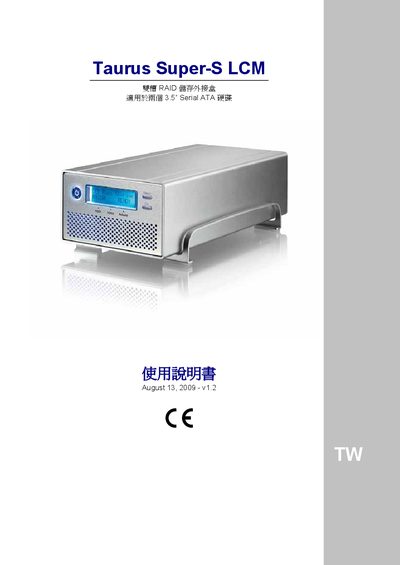
Taurus Super‑S LCM Add‑in Box Manual
This manual describes the hardware specifications and configuration options for the Taurus Super‑S LCM add‑in box. It covers supported CPUs, memory, storage capacities, interface ports and operating system compatibility for both PC and Mac platforms.
The document also explains RAID configurations (RAID 0, RAID 1, RAID 5, RAID 10), system status messages, and troubleshooting procedures such as error handling and DIP‑switch settings.
Covers: PC Compatibility · Mac Compatibility · Interface Ports · RAID Configurations · System Status Messages · Troubleshooting
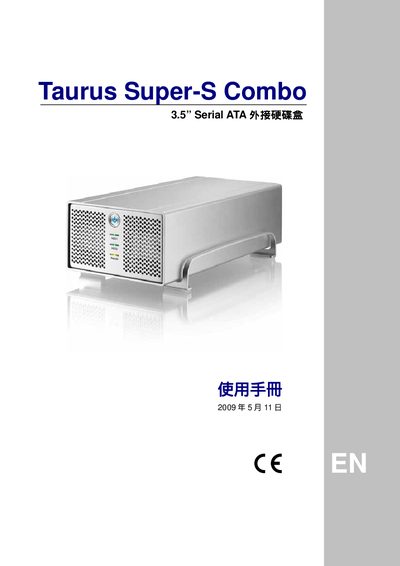
Taurus Super-S Combo Add-in Hard Disk Box User Manual
The Taurus Super‑S Combo is a 3.5" Serial ATA add‑in hard‑disk enclosure with multiple interfaces, including FireWire 400/800, USB 2.0, eSATA and Gigabit Ethernet. Its compact dimensions are 24.5 cm × 13.38 cm × 7.6 cm (9.65 in × 5.23 in × 3 in) and it accepts standard 3.5" SATA drives.
The manual guides users through installation, power‑supply connections, LED status indicators, and RAID jumper settings for RAID 0 (spanning/striping) and RAID 1 (mirroring). Compatibility notes for Windows (NTFS) and Mac OS X (HFS+) are included, along with a FAQ section that answers common setup questions.
Covers: Product Overview · Physical Dimensions · Interface Options · LED Indicators · RAID Configuration · Power Supply
Taurus USB External Hard Drive Enclosure User Manual
The Taurus USB enclosure houses up to two 3.5" SATA hard drives and offers high‑capacity storage with USB 2.0, FireWire, eSATA and Ethernet interfaces. Its aluminum case includes an intelligent fan that adjusts speed based on internal temperature.
The manual covers system requirements, installation of hard drives, JBOD and RAID modes, USB backup software setup, formatting guidelines for Windows and macOS, safe removal procedures, and a troubleshooting/FAQ section. This manual is written in Chinese.
Covers: Introduction · System Requirements · Interface Introduction · Installation of Hard Drive · System Connection · USB Backup Tool
Latest Taurus manuals
Taurus Super‑S LCM Add‑in Box Manual
User Manual 16 pages · 713 KB · ENThe Taurus Super‑S LCM add‑in box manual provides setup, interface, RAID and OS compatibility details.
Taurus Super-S Combo Add-in Hard Disk Box User Manual
User Manual 15 pages · 636 KB · ENThe Taurus Super‑S Combo add‑in hard disk box user manual provides setup, RAID configuration, LED indicators, and troubleshooting information.
Taurus USB External Hard Drive Enclosure User Manual
User Manual 14 pages · ZHThe Taurus USB external hard drive enclosure manual provides setup, connection, backup tool usage, and troubleshooting for Windows and Mac.
Taurus - RAID 3.5 Serial ATA add-in hard disk Manual
Which document do I need?
User Manual
Day-to-day operation, settings and troubleshooting. Start here if the product is already set up.
Questions answered in Taurus manuals
What operating systems are supported by the Super‑S LCM?
The device works with Windows XP/Vista and Mac OS 10.2‑10.4.
Which RAID levels can be configured on the Super‑S LCM?
It supports RAID 0 (disk striping), RAID 1 (disk mirroring), RAID 5 and RAID 10.
Which file system should I format the drive with?
For Windows use NTFS; for macOS use HFS+; for cross‑platform use FAT32.
Why does the backup button not respond?
Make sure the Taurus USB backup software is installed and running; the tray icon must be green before the button works.