
Key facts
- Manuals
- 2
- Languages
- ZH
- Last added
- 2026-09-29
Featured WeiHuang manuals
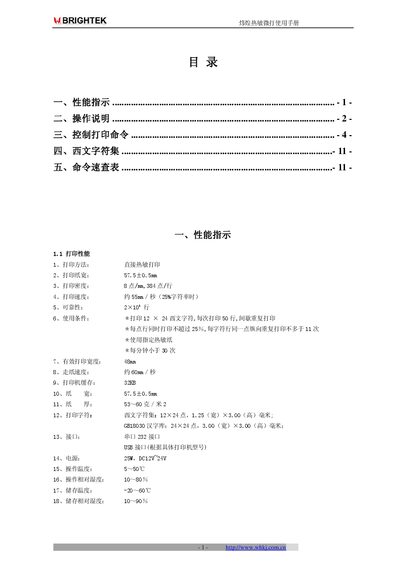
WeiHuang WHPOS58 Thermal Micro Printer User Manual
This manual provides detailed information on the WeiHuang WHPOS58 thermal micro printer, including its performance indicators, operating instructions, and the full set of control commands. It also lists the supported Western character set and includes a quick reference table for common commands.
The document explains how to configure the printer’s interfaces, adjust settings such as print direction, baud rate, and line spacing, and describes barcode, graphics, and cash drawer commands. It is intended for end‑users and technicians who need to set up, operate, and maintain the printer. This manual is written in Chinese.
Covers: Performance Indicators · Operation Instructions · Control Print Commands · Western Character Set · Command Quick Reference
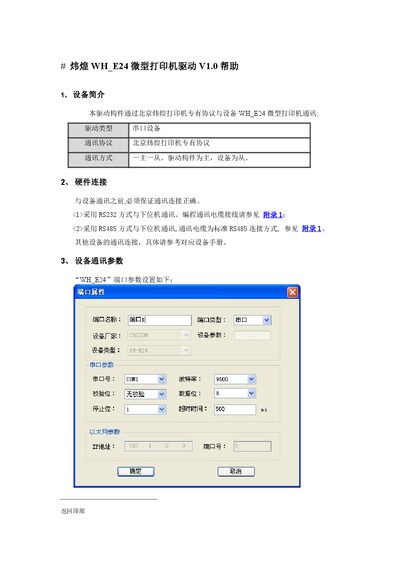
WeiHuang WH_E24 Micro Printer Driver Help V1.0
This guide describes how the WH_E24 micro printer communicates via WeiHuang's proprietary protocol. It supports both RS232 and RS485 interfaces, and requires matching serial parameters (9600‑8‑1‑N, device address 1).\n\nThe document lists the 47 supported commands, such as ESC6 for selecting character set 1, and explains how to set command registers and parameters in the host software. It also provides guidance for developing special applications or custom extensions when the supplied driver does not meet all needs. This manual is written in Chinese.
Covers: Device Overview · Hardware Connection · Communication Parameters · Driver Usage Instructions · Special Application Development
Latest WeiHuang manuals
WeiHuang WHPOS58 Thermal Micro Printer User Manual
User Manual 11 pages · 254 KB · ZHUser manual for the WeiHuang WHPOS58 thermal micro printer covering performance specs, operation steps, command set and character sets.
WeiHuang WH_E24 Micro Printer Driver Help V1.0
User Manual 4 pages · 376 KB · ZHThe WeiHuang WH_E24 micro printer driver help explains connection options, serial settings, command usage, and custom application development.
Which document do I need?
User Manual
Day-to-day operation, settings and troubleshooting. Start here if the product is already set up.
Questions answered in WeiHuang manuals
How do I perform a self‑test on the printer?
Power on the printer while holding the LF key and the SET key; the printer will print a self‑test strip.
How can I change the print direction?
Turn off the printer, hold any key while powering it on to display the status report, then press LF to select forward (LF) or reverse (SET) direction and power cycle again.
How do I send the ESC6 command to select character set 1?
Create a short‑integer register named ESC6, set its value to 1, and the driver will send the ESC6 command.
Can I develop custom functions if the driver lacks needed features?
Yes, you can extend the driver yourself or request a custom implementation from WeiHuang.