
Key facts
- Manuals
- 4
- Languages
- ZH
- Last added
- 2026-09-28
Featured XinYuan manuals
XinYuan XYC-201 Smart Card Reader User Manual
The XYC-201 smart card reader is designed for use with the all‑steel swipe‑controlled multimedia lecture podium. It connects via RS232, operates from a ~220 V power source, and provides visual status indicators.
The manual details how to set the management card, add or delete up to 1,000 user cards, configure passwords, and adjust relay timing. It also includes an appendix with wiring diagrams and power‑box information. This manual is written in Chinese.
Covers: Management Card Setup · Adding User Cards · Deleting User Cards · Other Settings · Appendix
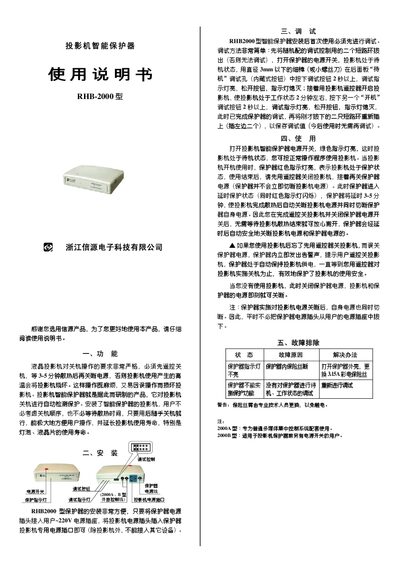
Xinyuan RHB-2000 Projector Intelligent Protector User Manual
The Xinyuan RHB-2000 projector intelligent protector simplifies shutdown procedures for LCD projectors. It automatically detects the projector’s power‑off state, eliminating the need for a strict remote‑off sequence and reducing the risk of overheating damage.
The manual explains how to install the unit by connecting it to a 220 V outlet and the projector’s power plug, how to perform the initial debugging, normal operation, and provides a troubleshooting table for common issues such as indicator‑light failures or fuse problems. This manual is written in Chinese.
Covers: Functions · Installation · Debugging · Operation · Troubleshooting
Xinyuan XY2800 Multimedia Central Controller User Manual
The XY2800 multimedia central controller integrates power, video, audio, and infrared control for projectors, screens, and computers. It features a 220 V power socket, VGA switching (3‑input, 2‑output), 3 video inputs, 1 video output, 4 dual‑channel audio inputs, 1 dual‑channel audio output, and a microphone input, with optional RS232 or infrared control.
The manual provides step‑by‑step installation, wiring diagrams, learning procedures for infrared and RS232 codes, operation instructions, and a troubleshooting guide with common fault symptoms and remedies. This manual is written in Chinese.
Covers: Installation Guide · Debugging and Calibration · Operation Instructions · Projector Infrared Learning · RS232 Control Setup · Common Fault Troubleshooting
Xinyuan XYK-100 Projector Controller User Manual
This manual describes the XYK-100 projector controller, a device that manages power‑on, power‑off and signal source selection for projectors. It details safety considerations, the controller’s automatic cooling delay, and how the controller communicates with the projector via RS232.
Installation steps cover connecting the controller to power and the projector, creating the RS232 control cable, and using the provided software to write and verify control codes. Operational instructions explain turning the projector on and off, selecting VGA/VIDEO input, and troubleshooting code mismatches. This manual is written in Chinese.
Covers: Overview · Installation · RS232 Control Code Writing · RS232 Control Code Entry · RS232 Control Code Checking · RS232 Cable Production and Connection
Latest XinYuan manuals
XinYuan XYC-201 Smart Card Reader User Manual
User Manual 4 pages · 399 KB · ZHThe XinYuan XYC-201 Smart Card Reader User Manual explains setup, management card configuration, user card addition/removal, and password settings.
Xinyuan RHB-2000 Projector Intelligent Protector User Manual
User Manual 1 pages · 210 KB · ZHUser manual for the Xinyuan RHB-2000 projector intelligent protector, covering installation, operation, debugging and troubleshooting.
Xinyuan XY2800 Multimedia Central Controller User Manual
User Manual 13 pages · 831 KB · ZHUser manual for the Xinyuan XY2800 multimedia central controller, covering installation, operation, and troubleshooting.
Xinyuan XYK-100 Projector Controller User Manual
User Manual 7 pages · 363 KB · ZHThe XYK-100 projector controller manual explains installation, RS232 code programming, wiring, and operation of the controller.
Which document do I need?
User Manual
Day-to-day operation, settings and troubleshooting. Start here if the product is already set up.
Questions answered in XinYuan manuals
How do I set the management card?
Press the button inside the drawer for more than 2 seconds until the green LED flashes and a long‑short beep sounds, then insert the IC/ID card within 10 seconds; the card will be set as the management card.
How many user cards can be added?
Up to 1,000 user cards can be authorized for the XYC‑201 reader.
How do I perform the initial debugging of the protector?
Remove the two shorting rings, turn on the protector, press the hidden debug button for more than 2 seconds, then repeat the procedure for the power‑on button; finally re‑insert the shorting rings.
From: Xinyuan RHB-2000 Projector Intelligent Protector User Manual
What should I do if the protector’s indicator light does not turn on?
Check the internal fuse; if it is blown, replace it with a 3.15 A TV fuse.
From: Xinyuan RHB-2000 Projector Intelligent Protector User Manual
How do I turn the projector on using the XYK-100 controller?
Turn on the controller’s power switch; the controller supplies power to the projector and automatically sends the power‑on RS232 code.
Which pins on the RS232 connector carry data and ground?
For the standard 9‑pin connector, pin 5 is ground and pin 2 is data receive; some projectors use pin 3 for data receive.