
Key facts
- Manuals
- 3
- Languages
- ZH
- Last added
- 2026-10-03
Featured Thinkware manuals

Thinkware F200 Dash Cam User Guide
This user guide provides instructions for safely installing and using the Thinkware F200 dash cam. It explains safety warnings, power‑line handling, and proper mounting to avoid interference with the driver’s view. The guide also outlines the product’s warranty and regulatory statements.
The manual includes sections on product overview, installation of the front and optional rear cameras, recording functions (continuous, event‑triggered, parking mode), mobile and computer viewers, system settings, firmware upgrades, troubleshooting, and a full specifications table. It is intended for vehicle owners who need to record video evidence of driving incidents. This manual is written in Chinese.
Covers: Safety Information · Product Overview · Installation · Recording Functions · Mobile Viewer · Computer Viewer

Thinkware HX700 Dash Cam User Manual
This manual covers general information about the HX700 dash cam, including safety precautions, required accessories, and detailed installation instructions. It explains how to insert and secure the MicroSD card, connect power, and adjust the camera angle for optimal recording.
The guide also describes basic operation, menu navigation on the 3.5‑inch TFT LCD, PC playback using the THINKWARE Dashcam Viewer, and provides the full product specifications such as video resolution, sensor details, and operating temperature range. This manual is written in Chinese.
Covers: General Information · Safety Precautions · Accessories · Product Installation · Basic Operation · Menu Information
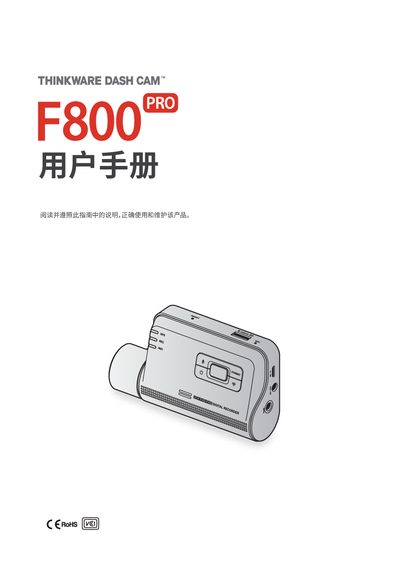
Thinkware F800 Pro Dashcam User Manual
The Thinkware F800 Pro is a vehicle dashcam designed to record video while the vehicle is running. It includes a front camera and an optional rear camera, and supports features such as parking mode, GPS, and cloud services.
The manual covers safety information, product overview, step‑by‑step installation, recording functions, mobile and PC viewer usage, detailed settings, firmware upgrades, troubleshooting, and full technical specifications. This manual is written in Chinese.
Covers: Safety Information · Product Overview · Installation · Recording Functions · Mobile Viewer · PC Viewer
Latest Thinkware manuals
Thinkware F200 Dash Cam User Guide
User Manual 47 pages · 5 MB · ZHUser guide for the Thinkware F200 dash cam covering installation, operation, settings, and specifications.
Thinkware HX700 Dash Cam User Manual
User Manual 45 pages · 14.2 MB · ZHThe Thinkware HX700 dash cam user manual provides safety guidelines, installation steps, operation instructions, menu details, and product specifications.
Thinkware F800 Pro Dashcam User Manual
User Manual 56 pages · 3.3 MB · ZHThis manual provides installation, usage, settings, and maintenance instructions for the Thinkware F800 Pro dashcam.
Which document do I need?
User Manual
Day-to-day operation, settings and troubleshooting. Start here if the product is already set up.
Questions answered in Thinkware manuals
Why is the device not powering on?
Make sure the power cable (car charger or hard‑wired cable) is correctly connected to the vehicle and that the vehicle battery has sufficient charge.
Why is the recorded video blurry or almost invisible?
Remove the protective film from the camera lens before recording; a remaining film can make the video appear blurry.
What temperature range can the HX700 operate in?
The HX700 is designed to operate between -10 °C and 60 °C.
What type of memory card does the F800 Pro support?
It supports MicroSD cards of 16 GB, 32 GB, 64 GB, or 128 GB (UHS‑I).