
Key facts
- Manuals
- 9
- Languages
- EN · ZH
- Last added
- 2026-10-01
Featured National Instruments manuals
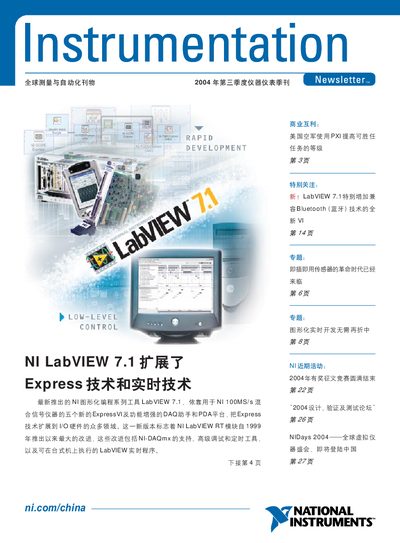
National Instruments LabVIEW 7.1 PDA Product Leaflet
LabVIEW 7.1 PDA is a version of National Instruments' LabVIEW software designed for handheld PDA platforms. The document provides an overview of its capabilities, including express VI support, FPGA integration and high‑speed data acquisition.
The software supports a wide range of hardware interfaces such as PCMCIA, PCI, PXI, USB, GPIB and Ethernet, and lists performance figures like 100 MS/s sampling, 200 kS/s data rate and 25 ns timing resolution. Contact information for National Instruments China is also included.
Covers: Features · Supported Hardware · Performance Specifications · Contact Information
National Instruments RIO LabVIEW FPGA High‑Performance Developer Guide
This guide provides LabVIEW FPGA developers with recommended methods to create high‑performance applications on NI RIO platforms, covering FPGA advantages, timing optimization, resource management, and data‑transfer techniques. It includes detailed discussions of single‑cycle timing loops, SCTL programming, and integration of high‑throughput IP blocks.
The document also describes the NI hardware ecosystem—PXI, CompactRIO, FlexRIO, and R series—detailing their bandwidth capabilities, I/O resources, and how to evaluate the best platform for a given application. Additional resources, training options, and support contacts are listed at the end. This manual is written in Chinese.
Covers: Introduction · Target Audience · Prerequisites and Reference Materials · FPGA Advantages · High‑Performance LabVIEW FPGA Design · Understanding NI RIO Hardware Platform
National Instruments NI-488.2 User Manual for DOS
This manual provides detailed information on the NI-488.2 software that enables GPIB (General Purpose Interface Bus) communication on DOS systems. It covers the driver, utilities, and programming interfaces, and includes sample applications and troubleshooting guidance.
The document is organized into chapters on GPIB fundamentals, application examples, development steps, debugging tools such as ibtest, utility programs (ibic, appmon, ibconf), programming techniques, and configuration options. Appendices list status word conditions, error codes, the Universal Language Interface, and a glossary.
Covers: Introduction · Application Examples · Developing Your Application · Debugging Your Application · ibic Utility · appmon Utility
National Instruments LabVIEW 8.0 Upgrade Guide
The LabVIEW 8.0 Upgrade Guide provides detailed procedures for converting existing VIs, installing required toolkits, and updating instrument drivers when moving to the new version. It also describes how to manage multiple LabVIEW installations on the same computer and how to preserve user libraries.
Key sections include conversion of VIs, required system resources, supported operating systems, changes to palettes and functions, and instructions for activating licenses and using new project features. The document also lists compatibility problems that may arise when upgrading from earlier LabVIEW releases. This manual is written in Chinese.
Covers: 升级至 LabVIEW 8.0 · 转换 VI · 升级工具包、仪器驱动程序和附加工具 · 升级其它 NI 软件 · 升级 LabVIEW 前期版本 · 升级和兼容性问题
Latest National Instruments manuals
National Instruments LabVIEW 7.1 PDA Product Leaflet
Product Leaflet 30 pages · 14.5 MB · ENProduct leaflet for National Instruments LabVIEW 7.1 PDA, outlining features, supported hardware and performance specifications.
National Instruments RIO LabVIEW FPGA High‑Performance Developer Guide
Programming Manual 94 pages · 3.2 MB · ZHA guide that explains how to optimize LabVIEW FPGA applications on NI RIO hardware for higher throughput and precise timing.
National Instruments NI-488.2 User Manual for DOS
User Manual 194 pages · 507 KB · ENThe NI-488.2 User Manual for DOS explains installation, configuration, programming, and debugging of National Instruments' GPIB driver for DOS.
National Instruments LabVIEW 8.0 Upgrade Guide
Installation Guide 92 pages · 1006 KB · ZHThis guide explains how to upgrade LabVIEW to version 8.0 on Windows, macOS, and Linux, covering upgrade steps, compatibility issues, and new features.
National Instruments PXI-1042 Series Power Supply Shuttle User Guide
User Manual 8 pages · 237 KB · ENThe National Instruments PXI-1042 Series Power Supply Shuttle User Guide provides installation, configuration, safety, and specification details.
National Instruments Automotive Industry Application Guide
Application Note 188 pages · 5.2 MB · ZHThis guide explains how National Instruments hardware and software platforms are applied to automotive testing, including ECU, HIL and CAN solutions.
National Instruments USB-621x OEM User Guide
User Manual 14 pages · 613 KB · ENThe National Instruments USB-621x OEM User Guide provides dimensions, mounting options, connector pinouts, and Windows device‑name configuration for…
National Instruments LabVIEW Getting Started Guide June 2010
User Manual 75 pages · 897 KB · ZHA beginner's guide that teaches how to create virtual instruments, acquire data and communicate with hardware using LabVIEW.
National Instruments LabVIEW 7 Express User Guide
User Manual 63 pages · 905 KB · ZHThe LabVIEW 7 Express User Guide explains how to create, edit, and run virtual instruments in the LabVIEW environment.
Which document do I need?
Programming Manual
Instruction set, parameters and examples for configuring or programming the device.
User Manual
Day-to-day operation, settings and troubleshooting. Start here if the product is already set up.
Installation Guide
Mounting, wiring and first power-up. Read it before the hardware goes in.
Application Note
How to use the product for one specific task, with worked examples.
Questions answered in National Instruments manuals
What is LabVIEW 7.1 PDA?
LabVIEW 7.1 PDA is a version of National Instruments' LabVIEW software for PDA platforms.
Which hardware interfaces are supported by LabVIEW 7.1 PDA?
It supports PCMCIA, PCI, PXI, USB, GPIB, Ethernet and other standard interfaces.
How do I open a GPIB device in a program?
Use the ibdev function as shown in the manual’s Step 1: Open a Device.
What tool can I use to test the NI-488.2 driver?
Run the ibtest utility, which is described in Chapter 4 Debugging Your Application.
How much disk space is required for a full installation of LabVIEW 8.0 on Windows?
A full installation requires at least 1.2 GB of disk space.
How can I upgrade a VI saved in an earlier LabVIEW version?
Open the VI in LabVIEW 8.0; the software will automatically convert and compile the VI, after which you should save it in the new version.