
Key facts
- Manuals
- 2
- Languages
- ZH
- Last added
- 2026-10-01
Featured Data manuals
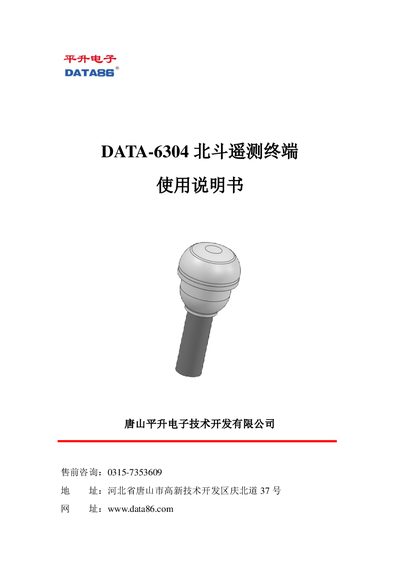
DATA 6304 Telemetry Terminal User Manual
The DATA‑6304 telemetry terminal integrates a BeiDou communication module, a 4G all‑network wireless module and an RTU data‑acquisition module. It offers short‑range communication, fast positioning, precise timing, data collection, storage and alarm functions for applications such as geological disaster monitoring, flood warning, transportation and forest fire prevention.
This user manual covers product overview, installation steps (SIM card, antenna connectors, battery and mounting), debugging procedures (Bluetooth connection, parameter setting, data monitoring, firmware upgrade), safety precautions, common fault analysis, a complete parts list and after‑sales service details. This manual is written in Chinese.
Covers: Overview · Installation · Product Debugging · Precautions · Troubleshooting · Parts List
DATA 6321 Drip Irrigation Controller User Manual
The DATA-6321 is a drip‑irrigation controller designed for agricultural fields. It provides automatic valve control, pressure/flow/soil‑moisture monitoring, and multiple wireless communication options such as GPRS, CDMA, SMS and satellite.
This manual includes product overview, installation steps, interface and wiring details, software installation and parameter configuration, remote upgrade procedures, and fault analysis with troubleshooting guidance. This manual is written in Chinese.
Covers: Product Overview · Installation Guidelines · Interface and Wiring · Software Installation and Parameter Setting · Remote Upgrade and Parameter Setting · Technical Parameters
Latest Data manuals
DATA 6304 Telemetry Terminal User Manual
User Manual 14 pages · 830 KB · ZHThe manual provides overview, installation, configuration, troubleshooting, parts list and service information for the DATA‑6304 telemetry terminal.
DATA 6321 Drip Irrigation Controller User Manual
User Manual 29 pages · 2.2 MB · ZHUser manual for the DATA-6321 drip irrigation controller, covering installation, wiring, software setup and troubleshooting.
Which document do I need?
User Manual
Day-to-day operation, settings and troubleshooting. Start here if the product is already set up.
Questions answered in Data manuals
How can I upgrade the device firmware?
Select “Program Upgrade” in the app, then choose a local file or download from the central server to update the firmware.