
Key facts
- Model
- PCI-1711
- Category
- Other Electronics
- Industry
- Electronics
- Documents
- 2
- Languages
- ZH
- Last added
- 2000-01-01
Start here
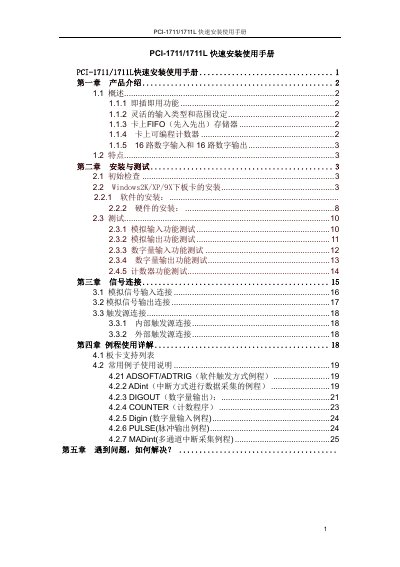
Advantech PCI-1711/PCI-1711L Quick Installation Manual
The PCI‑1711/PCI‑1711L is a low‑cost, multifunction PCI bus data‑acquisition card. It offers 16 digital inputs, 16 digital outputs, a 12‑bit A/D converter with up to 100 kHz sampling, and optional analog outputs on the PCI‑1711 model.
The manual provides step‑by‑step instructions for hardware installation, driver and software setup, configuration of FIFO buffers, gain and range settings, and troubleshooting tips. Example programs and LabVIEW/ActiveDAQ drivers are also included on the supplied CD. This manual is written in Chinese.
PCI-1711/1711L快速安装使用手册 PCI-1711 specifications
| Digital I/O | 16 inputs, 16 outputs |
|---|---|
| Analog Output Channels | 2 (PCI‑1711 only) |
| A/D Converter | 12‑bit, up to 100 kHz sampling rate |
| FIFO Buffer | 1 K samples |
| Programmable Counter | 1 (82C54 compatible) |
| Analog Input Channels | 16 single‑ended |
Source: Advantech PCI-1711/PCI-1711L Quick Installation Manual
All PCI-1711/1711L快速安装使用手册 PCI-1711 documents by type
The shortest path to a working setup, usually only a few pages.
Questions answered in these manuals
What is the difference between the PCI‑1711 and PCI‑1711L models?
The PCI‑1711 includes two analog‑output channels, while the PCI‑1711L does not have any analog‑output channels.
From: Advantech PCI-1711/PCI-1711L Quick Installation Manual
How can I enable the FIFO buffer for data acquisition?
Open the FIFO Setting dialog, check the Enable box, and the FIFO size will be set automatically to half of the total buffer size.
From: Advantech PCI-1711/PCI-1711L Quick Installation Manual
How do I install the PCI‑1711/PCI‑1711L card in a computer?
Turn off the computer, insert the card into an empty PCI slot, then power the system back on and verify the device appears in Windows Device Manager.
From: Advantech PCI-1711/PCI-1711L Quick Installation Manual
How can I test the analog input function?
Open the test interface, select the desired channel number and input range, then read the displayed analog input value to confirm the signal is being sampled correctly.
From: Advantech PCI-1711/PCI-1711L Quick Installation Manual