
Key facts
- Manuals
- 2
- Models
- 1
- Languages
- ZH
- Last added
- 2000-01-01
PCI-1711/1711L快速安装使用手册 models by category
Featured PCI-1711/1711L快速安装使用手册 manuals
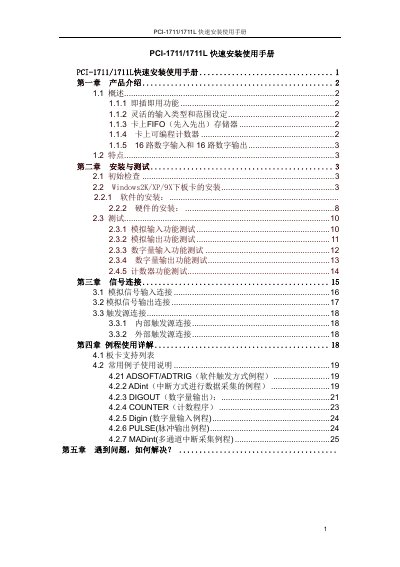
Advantech PCI-1711/PCI-1711L Quick Installation Manual
The PCI‑1711/PCI‑1711L is a low‑cost, multifunction PCI bus data‑acquisition card. It offers 16 digital inputs, 16 digital outputs, a 12‑bit A/D converter with up to 100 kHz sampling, and optional analog outputs on the PCI‑1711 model.
The manual provides step‑by‑step instructions for hardware installation, driver and software setup, configuration of FIFO buffers, gain and range settings, and troubleshooting tips. Example programs and LabVIEW/ActiveDAQ drivers are also included on the supplied CD. This manual is written in Chinese.
Covers: Product Introduction · Installation and Test · Signal Connection · Example Usage Details · Troubleshooting
Advantech PCI-1711/PCI-1711L Quick Installation Manual
The PCI-1711/PCI-1711L is a low‑cost, multifunction PCI‑bus data acquisition card offering up to 16 analog inputs, digital I/O, and a programmable counter. It supports plug‑and‑play operation and includes on‑board FIFO buffering for high‑speed data transfer.
The guide walks you through hardware and software installation on Windows 2000/XP/9x, explains how to run functional tests for analog and digital channels, and presents example programs for common tasks such as interrupt‑driven acquisition and pulse output. Troubleshooting tips and support contacts are also provided. This manual is written in Chinese.
Covers: Product Introduction · Installation and Testing · Signal Connection · Example Programs · Troubleshooting
Latest PCI-1711/1711L快速安装使用手册 manuals
Advantech PCI-1711/PCI-1711L Quick Installation Manual
Quick Start Guide 27 pages · 861 KB · ZHQuick installation guide for Advantech PCI‑1711 and PCI‑1711L data acquisition cards.
Advantech PCI-1711/PCI-1711L Quick Installation Manual
Quick Start Guide 24 pages · 861 KB · ZHThis quick installation manual provides an overview, installation steps, testing procedures, and example usage for the Advantech PCI-1711/PCI-1711L data…
Which document do I need?
Quick Start Guide
The shortest path to a working setup, usually only a few pages.
Questions answered in PCI-1711/1711L快速安装使用手册 manuals
What is the difference between the PCI‑1711 and PCI‑1711L models?
The PCI‑1711 includes two analog‑output channels, while the PCI‑1711L does not have any analog‑output channels.
From: Advantech PCI-1711/PCI-1711L Quick Installation Manual
How can I enable the FIFO buffer for data acquisition?
Open the FIFO Setting dialog, check the Enable box, and the FIFO size will be set automatically to half of the total buffer size.
From: Advantech PCI-1711/PCI-1711L Quick Installation Manual
How do I install the PCI‑1711/PCI‑1711L card in a computer?
Turn off the computer, insert the card into an empty PCI slot, then power the system back on and verify the device appears in Windows Device Manager.
From: Advantech PCI-1711/PCI-1711L Quick Installation Manual
How can I test the analog input function?
Open the test interface, select the desired channel number and input range, then read the displayed analog input value to confirm the signal is being sampled correctly.
From: Advantech PCI-1711/PCI-1711L Quick Installation Manual