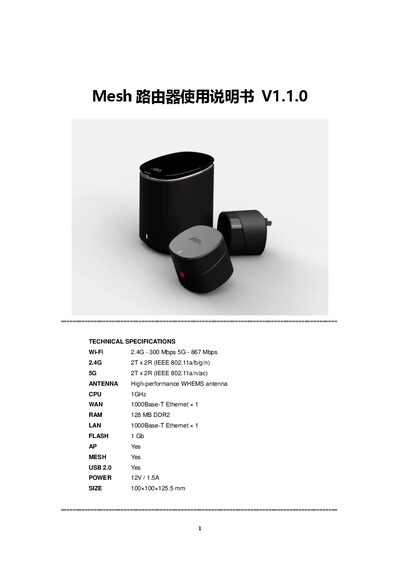
User manual for the Mesh router covering setup, configuration, technical specs, web management, and troubleshooting.
About this manual
The manual begins with technical specifications of the Mesh router, including Wi‑Fi speeds, CPU, memory, ports, power requirements and dimensions. It then introduces the router hardware, interfaces, indicator lights, and how to connect the WAN port to a modem.
Subsequent sections describe the web management interface, MY Wi‑Fi features, device management, internet settings (PPPoE, DHCP, Static IP), security options, firmware upgrade, and a FAQ that addresses common issues such as resetting the router and adding Mesh nodes. This manual is written in Chinese.
What's inside
- Technical Specifications
- Router Introduction
- Web Management Interface
- MY Wi‑Fi
- Device Management
- Internet Settings
- Security Center
- Firmware Upgrade
- FAQ
Specifications
| Wi‑Fi 2.4 GHz speed | 300 Mbps |
|---|
| Wi‑Fi 5 GHz speed | 867 Mbps |
|---|
| 2.4 GHz radio configuration | 2T x 2R (IEEE 802.11a/b/g/n) |
|---|
| 5 GHz radio configuration | 2T x 2R (IEEE 802.11a/n/ac) |
|---|
| CPU | 1 GHz |
|---|
| WAN port | 1000Base‑T Ethernet ×1 |
|---|
| LAN port | 1000Base‑T Ethernet ×1 |
|---|
| RAM | 128 MB DDR2 |
|---|
| Flash memory | 1 Gb |
|---|
| Mesh support | Yes |
|---|
| USB port | USB 2.0 |
|---|
| Power input | 12 V / 1.5 A |
|---|
| Dimensions | 100 × 100 × 125.5 mm |
|---|
Frequently asked questions
How do I reset the router?
Press the RESET button briefly to enter add‑node mode; hold the button for about 5 seconds to restore factory settings.
How can I add a Mesh node?
Use the Mesh management menu to add a node; after successful addition the node appears in the topology view.
How do I upgrade the firmware?
Select the Upgrade Firmware menu in the web interface and follow the on‑screen instructions to upload the new firmware.