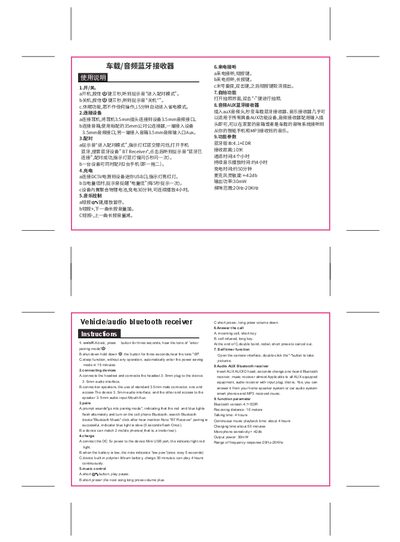
This user manual explains how to power on, pair, charge, control music, answer calls, and use the selfie function of the car/audio Bluetooth receiver.
About this manual
The manual provides step‑by‑step instructions for operating the car/audio Bluetooth receiver, including power on/off, device pairing, charging, music playback control, call handling, and the built‑in selfie camera function. It also describes how to connect headsets, speakers, or AUX audio systems.
Technical specifications such as Bluetooth version, receiving distance, battery life, charging time, microphone sensitivity, output power, and frequency response are listed at the end of the document. This manual is written in Chinese.
What's inside
- Power On/Off
- Connecting Devices
- Pairing
- Charging
- Music Control
- Call Answering
- Selfie Function
- Audio AUX Bluetooth Receiver
- Technical Specifications
Specifications
| Bluetooth version | 4.1+EDR |
|---|
| Receiving distance | 10 meters |
|---|
| Talking time | 4 hours |
|---|
| Continuous music playback time | about 4 hours |
|---|
| Charging time | about 50 minutes |
|---|
| Microphone sensitivity | ±42 dB |
|---|
| Output power | 30 mW |
|---|
| Frequency response | 20 Hz – 20 kHz |
|---|
Frequently asked questions
How do I turn the receiver on and off?
Press and hold the button for three seconds; you will hear a tone indicating the device is entering pairing mode (on) or shutting down (off).
How many phones can be paired with the receiver at the same time?
A single receiver can be paired with up to two mobile phones simultaneously.
How long does it take to charge and how long can it play music continuously?
Charging takes about 50 minutes (or 30 minutes for a quick charge) and provides roughly 4 hours of continuous music playback.
How do I answer or reject an incoming call?
Short‑press the button to answer a call; long‑press the button to reject it.