This Chinese user manual explains the camera’s structure, indicator lights, operation steps, and product specifications.
About this manual
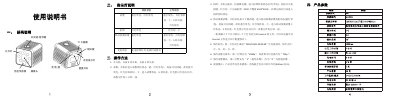
The manual describes the camera’s physical structure, including the power/pause button, infrared lamp, brightness sensor, TF‑card slot, mode key, and status indicator lights. It details the meaning of each indicator light for standby, recording, photo, motion‑detect recording, and charging states.
Operation instructions cover power on/off, video recording, photo capture, motion‑detect recording, time and resolution settings, recording mode changes, and night‑vision activation. The document also lists basic product parameters such as sensor resolution and infrared wavelength. This manual is written in Chinese.
What's inside
- Structure Description
- Indicator Light Description
- Operation Methods
- Product Parameters
Specifications
| Camera resolution | 1200万像素 (4032×3024) |
|---|
| Default video resolution | 1080p |
|---|
| Infrared LED wavelength | 940nm |
|---|
Frequently asked questions
How do you turn the camera on and off?
Press and hold the power button for 3 seconds to turn on, and press and hold for 3 seconds to turn off.
How do you take a photo?
After powering on, press the mode key, then press the power button; the red light flashes and a photo is taken.
How can the video recording resolution be changed?
Edit the second line of the time.txt file on the TF card to "720p" to change the recording resolution.