
Key facts
- Manuals
- 2
- Languages
- EN · ZH
- Last added
- 2026-10-03
Featured Contec manuals
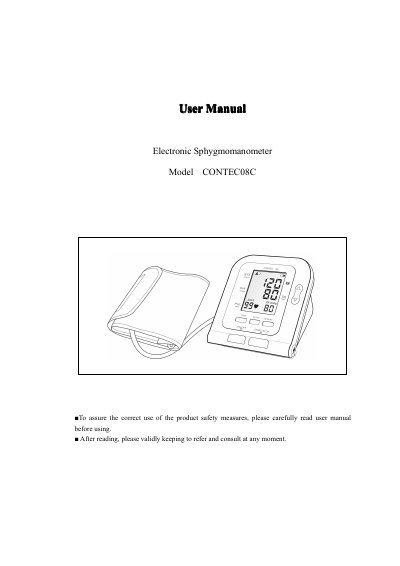
CONTEC 08C Electronic Sphygmomanometer User Manual
This manual explains how to safely use the CONTEC 08C electronic sphygmomanometer, including required safety precautions and proper handling of the device. It covers the main unit, button functions, external interfaces, and the optional dry‑battery or AC‑adapter power options.
Detailed instructions are given for setting the date and time, selecting measurement units, applying the arm cuff, performing blood‑pressure and SpO2 measurements, using the memory function, installing software, interpreting error messages, and performing routine maintenance and cleaning.
Covers: Safety Precautions · Main Unit · Button Functions · External Interfaces · Dry Battery / AC Adapter Installation · Setting Date and Time
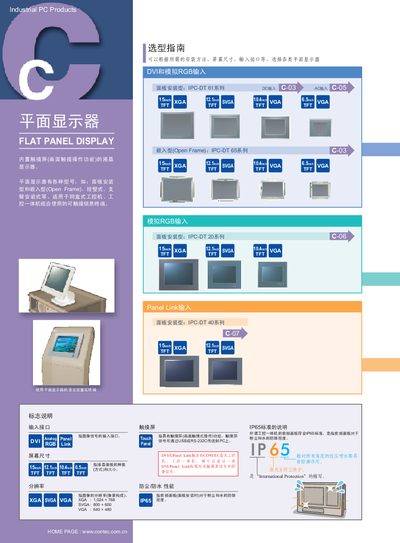
Contec IPC-DT Series Flat Panel Display Selection Guide
The Contec IPC-DT series includes a range of flat panel displays with built‑in touch screens for industrial PC applications. Models such as IPC‑DT 61, 65, 20, 40, 440, 400 and 30 are offered in various sizes and mounting styles (panel‑mount, open‑frame, wall‑mount, arm‑mount).\n\nEach display supports dual video inputs (DVI and analog RGB), USB or RS‑232C touch interfaces, and complies with IP65 protection for dust and water. Detailed dimensions, power options, and optional accessories like cable kits and mounting brackets are provided to help users select the appropriate unit. This manual is written in Chinese.
Covers: Selection Guide · Display Models · Screen Sizes · Resolution · Input Interfaces · Touch Panel Options
Latest Contec manuals
CONTEC 08C Electronic Sphygmomanometer User Manual
User Manual 22 pages · 1.9 MB · ENThe CONTEC 08C electronic sphygmomanometer user manual provides safety precautions, operation steps, battery/adapter installation, settings, measurement…
Contec IPC-DT Series Flat Panel Display Selection Guide
Product Leaflet 9 pages · 2 MB · ZHSelection guide for Contec IPC-DT flat panel displays covering models, specs, interfaces and installation options.
Which document do I need?
User Manual
Day-to-day operation, settings and troubleshooting. Start here if the product is already set up.
Questions answered in Contec manuals
How do I set the date and time on the device?
After turning the device on, press the SETUP button and follow the on‑screen prompts to adjust the date and time values.
How can I replace the dry battery?
Open the battery cover, remove the old AA batteries, insert new AA batteries with correct polarity, and close the cover securely.
What video input interfaces are available on the IPC‑DT displays?
The displays support both DVI and analog RGB inputs.
From: Contec IPC-DT Series Flat Panel Display Selection Guide
What protection rating does the front panel have?
The front panel meets the IP65 standard for dust and water protection.
From: Contec IPC-DT Series Flat Panel Display Selection Guide