
Key facts
- Manuals
- 1
- Languages
- ZH
- Last added
- 2022-09-11
Featured KUPA manuals
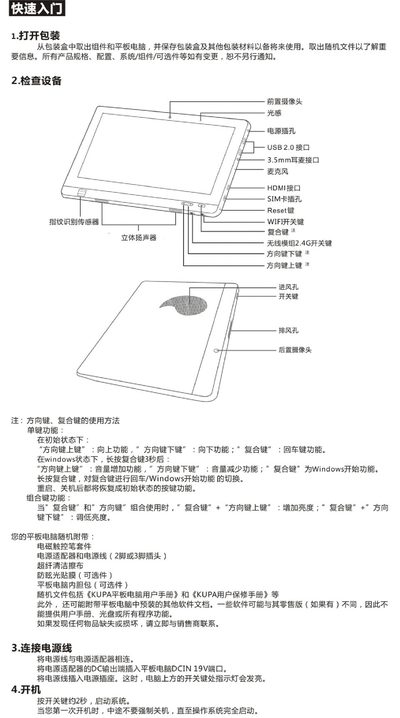
KUPA X11 Tablet Installation Guide
This guide provides step‑by‑step instructions for powering on, installing Windows 7, and configuring network connections on the KUPA X11 tablet. It also includes safety precautions, maintenance tips, and hardware specifications.
The document details driver updates, Wi‑Fi and 3G connectivity, system configuration, and warranty information, helping users get the tablet up and running quickly and safely. This manual is written in Chinese.
Covers: Quick Start · Driver Installation · Network Connection · Precautions and Maintenance · System Configuration · System Functions
Latest KUPA manuals
KUPA X11 Tablet Installation Guide
Installation Guide 6 pages · 6 MB · ZHInstallation guide for the KUPA X11 tablet, covering setup, drivers, network, and specifications.
Which document do I need?
Installation Guide
Mounting, wiring and first power-up. Read it before the hardware goes in.
Questions answered in KUPA manuals
How do I install Windows 7 on the KUPA X11 tablet?
Power off the tablet, connect a Windows 7 USB installer and press the power button, then quickly press F12 repeatedly until the boot manager appears and follow the on‑screen steps.
How can I connect the tablet to a Wi‑Fi network?
Open the task‑bar, select the Wi‑Fi icon, choose the desired network, click “Connect”, and enter the password if prompted.