
Key facts
- Manuals
- 1
- Categories
- 1
- Languages
- ZH
- Last added
- 2012-02-28
Featured 數碼橋用戶指南 manuals
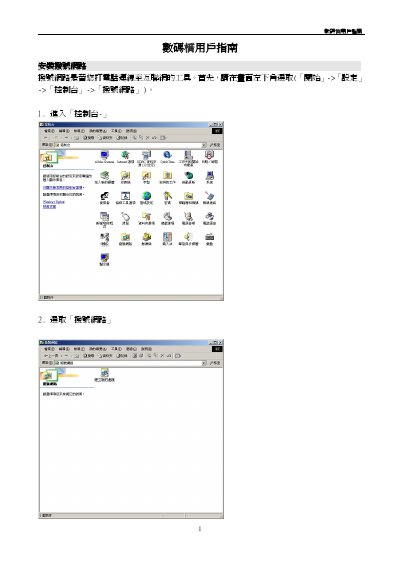
HKEDCITY DigitalBridge Service Manual
The guide walks users through setting up a new dial‑up connection, entering the phone number 29328100, and configuring server and network settings in Windows. It also details how to set up a proxy server (proxy.hkedcity.net:8087) for Internet Explorer and Netscape browsers.
A FAQ section answers common questions such as login email availability, weekly usage limits, connection speed ranges, and how to resolve proxy or access‑denied issues. This manual is written in Chinese.
Covers: Installation of Dial‑up Network · Creating a New Connection · Server Settings · Network Settings · TCP/IP Configuration · Proxy Server Setup
Latest 數碼橋用戶指南 manuals
HKEDCITY DigitalBridge Service Manual
Service Manual 10 pages · 956 KB · ZHThis manual explains how to install, configure, and troubleshoot the DigitalBridge dial‑up network service.
Which document do I need?
Service Manual
Disassembly, diagnostics and part numbers, for repair.
Questions answered in 數碼橋用戶指南 manuals
How many hours per week can I use the DigitalBridge service?
Each account is limited to a maximum of seven hours of internet usage per week.
What proxy server settings should I use for Internet Explorer?
Set the proxy server to proxy.hkedcity.net and port 8087 in the Internet Options → Connections → LAN Settings.