
Key facts
- Manuals
- 1
- Languages
- ZH
- Last added
- 2012-01-01
Featured 非接触式读卡机使用说明 manuals
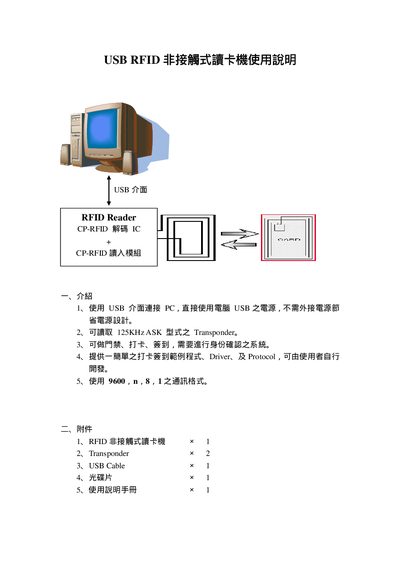
USB RFID Card Reader User Manual
The USB RFID card reader connects to a PC via a USB interface and does not require an external power supply. It reads 125 kHz ASK transponders and can be used for door access, time‑attendance, and sign‑in systems. The package includes the reader, two transponders, a USB cable, a CD with drivers and sample programs, and this manual.
The manual guides you through driver installation from the CD, COM port configuration, communication settings (9600 bps, N,8,1), and the optional simple login system with sample VB6 source code. It also describes how to interpret read data, clear logs, and provides the RS232 pinout for the alternate interface. This manual is written in Chinese.
Covers: Introduction · Package Contents · Driver Installation · COM Port Configuration · Communication Format · Simple Login System Installation
Latest 非接触式读卡机使用说明 manuals
USB RFID Card Reader User Manual
User Manual 11 pages · 274 KB · ZHThis manual explains how to install drivers, configure the USB RFID card reader, and use it for access control and attendance logging.
Which document do I need?
User Manual
Day-to-day operation, settings and troubleshooting. Start here if the product is already set up.
Questions answered in 非接触式读卡机使用说明 manuals
How do I install the driver for the USB RFID reader?
Insert the CD, open the Driver folder, and follow the on‑screen steps: click “Next”, select the appropriate driver file, and finish the installation.
What communication settings should be used with the reader?
Set the serial communication to 9600 bps, no parity, 8 data bits, 1 stop bit.