
Key facts
- Manuals
- 1
- Languages
- ZH
- Last added
- 2000-01-01
Featured 警钟王SR800E manuals
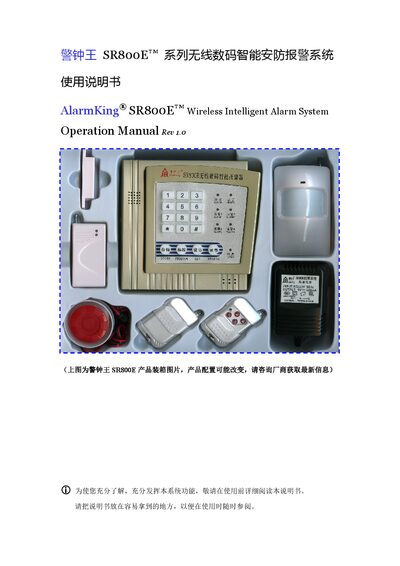
AlarmKing SR800E Wireless Intelligent Alarm System User Manual
This manual introduces the AlarmKing SR800E wireless intelligent alarm system, detailing its smart micro‑computer control, anti‑theft, gas leak, smoke detection, emergency call, and remote monitoring functions. It also describes the system’s components, including the main unit, remote controller, infrared detector, door sensor, and backup power.
Installation instructions cover mounting of infrared detectors and door sensors, wiring diagrams, and configuration of up to four alarm zones. Operational guidance includes arming/disarming, emergency alarm activation, remote programming, phone‑line monitoring, and routine maintenance to ensure reliable performance. This manual is written in Chinese.
Covers: System Features · System Components and Operation · Alarm Zone Settings · Remote Programming · Infrared Detector Installation · Door Sensor Installation
Latest 警钟王SR800E manuals
AlarmKing SR800E Wireless Intelligent Alarm System User Manual
User Manual 7 pages · 1 MB · ZHThe AlarmKing SR800E manual explains features, installation, operation, and maintenance of the wireless intelligent alarm system.
Which document do I need?
User Manual
Day-to-day operation, settings and troubleshooting. Start here if the product is already set up.
Questions answered in 警钟王SR800E manuals
How do I arm and disarm the system with the remote?
Press the remote’s “设防” (arm) key followed by “9” to arm, and press the “撤防” (disarm) key followed by “0” to disarm.
From: AlarmKing SR800E Wireless Intelligent Alarm System User Manual
How can I trigger an emergency alarm?
Press the remote’s “紧急” key for an audible alarm, or press the “静音” key for a silent alarm that calls without sounding the siren.
From: AlarmKing SR800E Wireless Intelligent Alarm System User Manual