
Key facts
- Manuals
- 4
- Categories
- 1
- Languages
- ZH
- Last added
- 2012-03-15
Featured 温度控制器 manuals
RKC Instrument CB100/CB400/CB500/CB700/CB900 Temperature Controller Manual
The document outlines safety precautions and proper handling of the CB series temperature controllers, emphasizing fire‑hazard prevention, correct wiring, and regular maintenance before power is applied. It also describes the intended users and the required knowledge for safe operation.
Detailed sections cover communication configuration (RS‑485, baud rates, data format), wiring diagrams, fault analysis procedures, and ASCII tables for data exchange. The manual serves as a complete guide for installing, configuring, and servicing the controllers. This manual is written in Chinese.
Covers: Safety Instructions · Installation · Communication Settings · Interface Specifications · ASCII Table · Fault Analysis
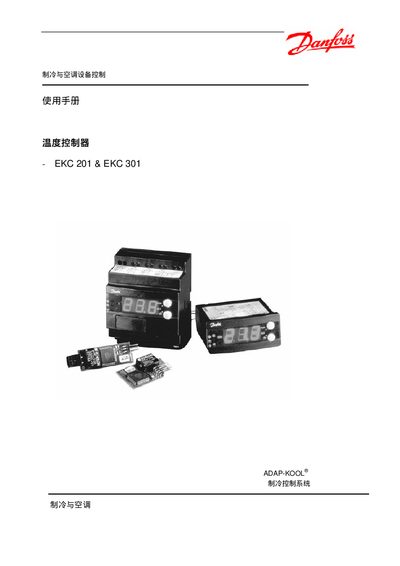
Danfoss EKC 201 / EKC 301 Control System User Manual
The document describes the ADAP‑KOOL EKC 201 and EKC 301 control system, covering hardware layout, power connections, and sensor interfaces. It explains how to install the controller, connect the compressor, fan, and temperature sensors, and perform basic commissioning.
Key functions such as thermostat set‑point adjustment, fan start delay, defrost cycles, and alarm configuration (temperature, door, and defrost alarms) are detailed, along with troubleshooting tips and parameter tables for customizing operation. This manual is written in Chinese.
Covers: Introduction · Installation and Wiring · Power Supply and Electrical Ratings · Temperature Set‑point and Calibration · Fan and Compressor Control · Defrost Operation
Temperature Controller Operation Manual
The temperature controller is a micro‑computer‑controlled device that manages heating and motor functions for process temperature regulation. It provides a display for inlet and outlet temperatures, several programmable functions, and alarm indicators.
The manual covers panel button descriptions, step‑by‑step operation procedures, how to set temperature and timer parameters, detailed function settings, and troubleshooting of alarm codes. It also includes instructions for accessing deeper function layers and adjusting advanced parameters. This manual is written in Chinese.
Covers: 面板按鍵說明 · 簡易操作 · 功能設定 · 定時器使用方式 · 異常警報處理 · 功能代號說明
Latest 温度控制器 manuals
RKC Instrument CB100/CB400/CB500/CB700/CB900 Temperature Controller Manual
User Manual 42 pages · 1.4 MB · ZHThis manual provides safety instructions, installation steps, communication settings, and troubleshooting for RKC Instrument CB series temperature controllers.
Danfoss EKC 201 / EKC 301 Control System User Manual
User Manual 18 pages · 179 KB · ZHThis manual provides installation, wiring, configuration, and alarm settings for Danfoss ADAP‑KOOL EKC 201 and EKC 301 control systems.
Temperature Controller Operation Manual
User Manual 7 pages · ZHThis manual explains panel buttons, basic operation, temperature setting, timer usage, function configuration, and alarm handling for a temperature controller.
temperature controller EKC 102 Manual
Which document do I need?
User Manual
Day-to-day operation, settings and troubleshooting. Start here if the product is already set up.
Questions answered in 温度控制器 manuals
What communication protocol does the controller use?
The controller uses an RS‑485 interface with half‑duplex multi‑drop communication.
From: RKC Instrument CB100/CB400/CB500/CB700/CB900 Temperature Controller Manual
How many devices can be connected to one controller?
Up to 32 devices, including the master controller, can be connected in the network.
From: RKC Instrument CB100/CB400/CB500/CB700/CB900 Temperature Controller Manual
How do I set the temperature set‑point?
Enter the desired value in the Temp. setpoint parameter; the controller will regulate the temperature accordingly.
What is the minimum ON‑time for the compressor?
The minimum ON‑time is defined by the c01 Min. ON‑time setting in the parameter table.
How do I turn on the temperature controller?
Press the power button; the lamp lights and the screen begins to display the temperature, indicating that the device has started up.
How can I set the desired temperature?
Press the temperature‑set button; the digits flash, then use the increase or decrease keys to adjust the value and confirm with the set key.