
Key facts
- Manuals
- 9
- Categories
- 2
- Languages
- ZH
- Last added
- 2012-03-21
Featured Guangzhou唯创 manuals
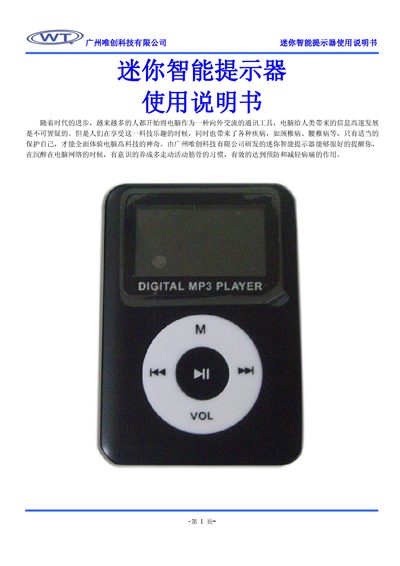
Weichuang Mini Smart Reminder User Manual
The Mini Smart Reminder is a compact, LCD‑display device that helps users take regular breaks while using a computer. It offers vibration and beep alert modes, an automatic sleep function, and a built‑in lithium battery rechargeable via USB.
The manual details how to power on the device, configure alert types, set cycle periods and repeat counts, lock the keypad to prevent accidental changes, and charge the unit safely. It also includes usage precautions and default settings that are restored after power loss. This manual is written in Chinese.
Covers: Features · Technical Parameters · Operation Instructions · Alert Setting · Cycles Setting · Events Setting
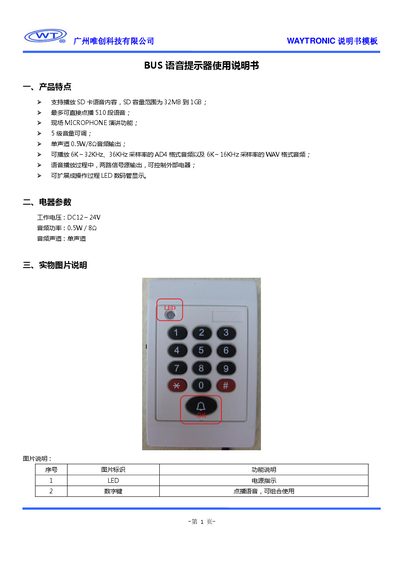
Guangzhou WEICUANG BUS Voice Reminder User Manual
The BUS voice reminder is a bus‑mounted audio alert unit that can play AD4 and WAV voice files from an SD card, output mono audio, and control external equipment via two signal outputs. It features five‑level volume control, LED power indication, and a microphone for live announcements.
The manual explains how to connect the power wires (red to VCC, brown to GND), insert an SD card (32 MB‑1 GB), select voice files with the numeric keys, and adjust volume using the * and # keys. It also details the signal output pins (S1, S2) and microphone operation for on‑board announcements. This manual is written in Chinese.
Covers: Product Features · Electrical Parameters · Physical Description · Operation Instructions · SD Card and Voice File Mapping · Signal Output Details
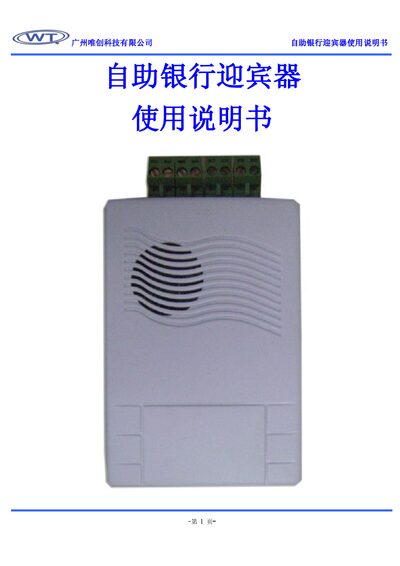
Guangzhou Weichuang Technology Self-service Bank Greeter User Manual
The self-service bank greeter is a compact voice‑prompt device designed for bank entrances. It offers interchangeable voice content, USB voice download, automatic entry/exit prompts, two audio output modes (PWM speaker drive and DAC external amp), and high‑quality 16 kHz playback.
The manual details how to mount the unit, connect power (DC 9‑12 V), wire the audio and switch inputs (K1 for entry, K2 for exit), and optionally add an external power amplifier for higher volume. It also explains volume adjustment and basic troubleshooting. This manual is written in Chinese.
Covers: Product Features · Technical Specifications · Connection Diagrams · Installation and Use · Version History
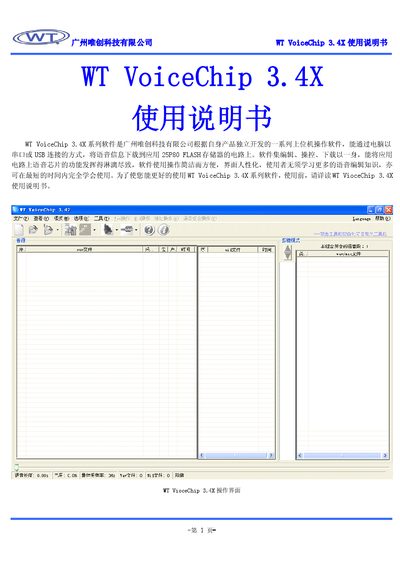
Guangzhou Wei Chuang WT VoiceChip 3.4X User Manual
The WT VoiceChip 3.4X series software, developed by Guangzhou Wei Chuang, is a PC‑based application that downloads voice data to WTV series voice chips via serial or USB connection. It supports editing, control, and download of audio files for chips such as WTV040, WTV080, WTV170, WTV340 and WTV‑S.
The manual details the required Windows environment, minimum PC specifications, installation steps, and the full set of menu commands for creating projects, loading WAV/MIDI files, editing address tables, compiling to BIN files and downloading to the programmer. It also explains the various operation modes, toolbar shortcuts, and voice‑combination functions. This manual is written in Chinese.
Covers: Software Parameters · Installation · Application · Commands and Functions · Operation Modes · Toolbar Functions
Latest Guangzhou唯创 manuals
Weichuang Mini Smart Reminder User Manual
User Manual 4 pages · 322 KB · ZHThe Weichuang Mini Smart Reminder User Manual explains setup, alert settings, charging, and usage instructions for the portable reminder device.
Guangzhou WEICUANG BUS Voice Reminder User Manual
User Manual 3 pages · 254 KB · ZHThe Guangzhou WEICUANG BUS voice reminder manual provides setup, operation, and specifications for the bus audio alert device.
Guangzhou WEICUANG technology Elevator stop announcer Manual
Guangzhou WEICUANG technology wtb series voice chip Manual
Guangzhou Weichuang Technology Self-service Bank Greeter User Manual
User Manual 4 pages · 238 KB · ZHThe Guangzhou Weichuang Technology self-service bank greeter user manual provides product features, technical specifications, installation steps, and usage…
Guangzhou WEICUANG technology USBSD module Manual
Guangzhou WEICUANG technology ebook Manual
Guangzhou Wei Chuang WT VoiceChip 3.4X User Manual
User Manual 9 pages · 556 KB · ZHThe WT VoiceChip 3.4X User Manual provides installation, configuration, and operation instructions for the voice chip software.
Weichuang WT588D Voice Microcontroller User Manual
User Manual 37 pages · 1.1 MB · ZHThe WT588D voice microcontroller user manual provides specifications, control modes, pin descriptions, and application circuits for developers.
Which document do I need?
User Manual
Day-to-day operation, settings and troubleshooting. Start here if the product is already set up.
Questions answered in Guangzhou唯创 manuals
What is the procedure for charging the device?
Connect the Mini Smart Reminder to a computer or USB charger with the supplied cable; the device will charge with over‑charge protection and display a full‑charge indicator when complete.
What voltage is required to power the BUS voice reminder?
It operates on a DC input voltage of 12 V to 24 V.
How many voice files can be stored on the SD card?
The device can directly play up to 510 voice files from the SD card.
How can the voice prompts be changed?
Voice content can be freely replaced and supports download via USB.
From: Guangzhou Weichuang Technology Self-service Bank Greeter User Manual
What power supply is required for the device?
Connect a DC 9‑12 V supply with correct polarity to the power terminals.
From: Guangzhou Weichuang Technology Self-service Bank Greeter User Manual
What operating systems does the WT VoiceChip 3.4X software run on?
It runs on Windows 2000/2003 and Windows XP.