
Key facts
- Manuals
- 1
- Languages
- ZH
- Last added
- 2012-03-14
Featured 多功能摄录 manuals
Philips MINI DV User Manual
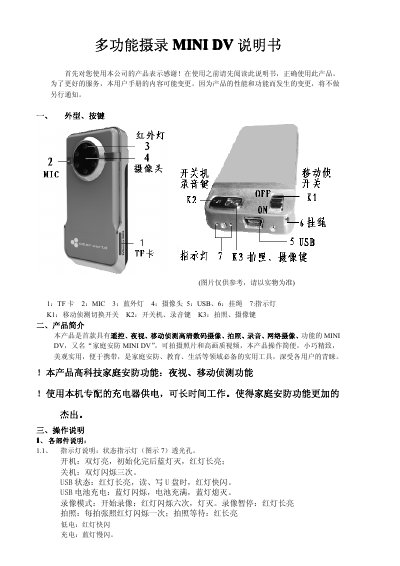
The Philips MINI DV is a compact, multi‑function security camera with remote control, night vision, motion detection, high‑definition video, photo, audio recording and network capabilities. It uses a TF card for storage and can be powered via USB or an external power source.
The manual explains the device’s buttons, indicators, mode switching, charging procedure, USB mass‑storage usage, remote control functions, and safety precautions, along with technical specifications such as video formats, battery capacity and operating environment. This manual is written in Chinese.
Covers: 外型、按键 · 产品简介 · 操作说明 · 充电 · 异常处理 · 配件
Latest 多功能摄录 manuals
Philips MINI DV User Manual
User Manual 9 pages · 497 KB · ZHUser manual for the Philips MINI DV multi‑function security camera, covering operation, charging, and specifications.
Which document do I need?
User Manual
Day-to-day operation, settings and troubleshooting. Start here if the product is already set up.
Questions answered in 多功能摄录 manuals
How can I switch to motion detection mode?
Press the K1 key to toggle between regular and motion‑detection mode; the device will start motion detection and the LEDs flash to indicate the mode.
What is the maximum storage capacity?
The device supports a TF (microSD) card up to 16 GB.