
Key facts
- Manuals
- 3
- Categories
- 1
- Languages
- ZH
- Last added
- 2026-09-28
Featured China Mobile manuals
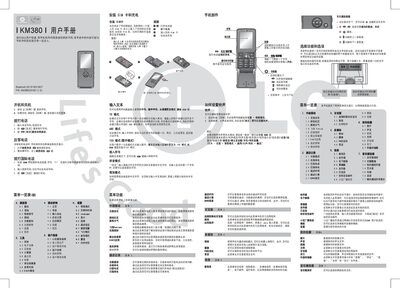
China Mobile KM380 User Manual
This manual explains how to install the SIM card, charge the battery, and navigate the phone's menus, including ringtone settings, Bluetooth, and multimedia functions. It also covers basic usage such as making calls, sending messages, and using the built‑in camera and music player.
Safety warnings are provided for use near medical devices, while driving, and in explosive environments, along with battery handling guidelines and regulatory information such as SAR values and hazardous substance limits. This manual is written in Chinese.
Covers: SIM Card Installation · Battery Charging · Menu Overview · Ringtone and Sound Settings · Safety and Usage Guidelines · Battery Maintenance
China Mobile Symbian S60 Mobile Navigation User Manual
The manual introduces the two operation modes of the China Mobile mobile navigation service—real‑time GPS navigation and simulated navigation—detailing how the system provides voice and icon prompts to guide drivers. It also describes the startup process, menu navigation, and the typical GPS acquisition time.
A comprehensive section explains various address input methods, including telephone input, website preset, manual street entry, and yellow‑page searches for points of interest such as gas stations. Additional guidance covers navigation command recognition and tips for improving GPS reception in challenging environments. This manual is written in Chinese.
Covers: Operation Modes · Address Input Methods · Navigation Command Identification · Menu Structure · GPS Usage Instructions · Yellow‑Page Search Function
China Mobile S60 V3 Phone Navigation Terminal User Manual
This manual provides step‑by‑step instructions for installing and uninstalling the China Mobile navigation client on Symbian S60 V3 phones, including where to place the installation files and how to remove the software.
It also describes the user interface, navigation functions, traffic updates, system settings, and hardware requirements, helping users get the most out of the phone navigation terminal. This manual is written in Chinese.
Covers: Preface · Installation and Uninstallation · Introduction · Search Functions · Favorites · One‑Click Services
Latest China Mobile manuals
China Mobile KM380 User Manual
User Manual 2 pages · 2.7 MB · ZHThe China Mobile KM380 user manual provides setup, operation, safety, and troubleshooting instructions for the mobile phone.
China Mobile Symbian S60 Mobile Navigation User Manual
User Manual 8 pages · 582 KB · ZHThis user manual explains how to use China Mobile's mobile navigation service on Symbian S60 devices, covering GPS and simulated navigation, address entry…
China Mobile S60 V3 Phone Navigation Terminal User Manual
User Manual 29 pages · 5.2 MB · ZHThe China Mobile S60 V3 Phone Navigation Terminal User Manual explains installation, features, and operation of the navigation software.
Which document do I need?
User Manual
Day-to-day operation, settings and troubleshooting. Start here if the product is already set up.
Questions answered in China Mobile manuals
How do I start GPS navigation?
Press the menu key, select “手机导航”, then choose the GPS navigation option to launch the service.
From: China Mobile Symbian S60 Mobile Navigation User Manual
What should I do if GPS cannot locate within 5 minutes?
Move to an open area away from high buildings, overpasses, or underground locations so the GPS can receive satellite signals.
From: China Mobile Symbian S60 Mobile Navigation User Manual
How do I install the navigation software?
Copy the "China_Mobile_S60_Release.sisx" file and the map data folder to the SD card or phone storage, then tap the sisx file to install.
From: China Mobile S60 V3 Phone Navigation Terminal User Manual
What are the subscription fees for the navigation service?
The service offers a monthly package for 15 yuan or a per‑use charge of 2 yuan per session (multiple uses within 4 hours count as one).
From: China Mobile S60 V3 Phone Navigation Terminal User Manual