
Key facts
- Manuals
- 4
- Languages
- ZH
- Last added
- 2012-04-11
Featured 中华电信 manuals
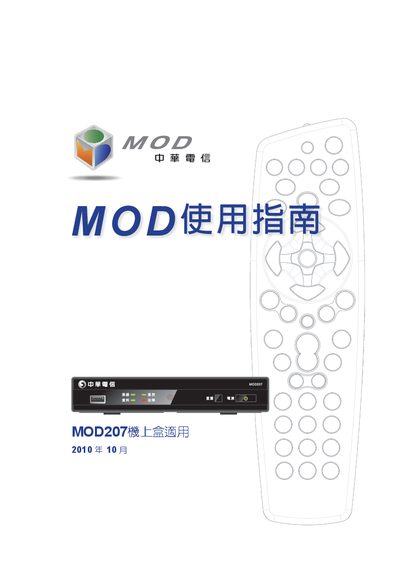
Chunghwa Telecom MOD207 MRC27 User Manual
This manual explains the safety precautions that must be followed when installing and using the MOD207/MRC27 device, including warnings about electrical hazards, proper ventilation, and the use of only the supplied power cable.
It also details the quick‑start procedure, the functions of each remote‑control key, connection ports (USB, HDMI, AV, Ethernet), indicator lights, and how to configure TV settings. Troubleshooting tips and service information are provided at the end of the document. This manual is written in Chinese.
Covers: Safety Information · Quick Start Guide · Device Overview · Remote Control Functions · Connection Ports · TV Settings Configuration
Chunghwa Telecom MRC25 Set-top Box User Guide
This guide covers the MOD MRC25 set‑top box supplied by Chunghwa Telecom. It includes safety precautions, a quick‑start procedure, detailed descriptions of the remote‑control keys, and instructions for connecting the box to a TV or other equipment.
Further sections explain how to use the on‑screen menus, manage recordings and bookmarks, and resolve common issues such as power or network problems. This manual is written in Chinese.
Covers: Safety Precautions · Quick Start · Set-top Box Overview · Remote Control Functions · Connection Options · Operating Procedures
Latest 中华电信 manuals
ChungHwa Telecom MOD Manual(1)
This document is the user manual for MOD207 set-top box of Chunghwa Telecom, which mainly introduces the functions and features of MOD207 set-top box, how to use MOD207 set-top box and the solutions to common problems
ChungHwa Telecom MOD206 series Machine On Box Manual
MOD206 series set-top box user manual, including safety precautions, set-top box contents, set-top box panel and indicator lights, set-top box back panel and connectors, customer-provided equipment, wiring methods, power on/off, set-top box settings, troubleshooting and other content.
Chunghwa Telecom MOD207 MRC27 User Manual
User Manual 36 pages · 2.9 MB · ZHThe Chunghwa Telecom MOD207 MRC27 user manual provides safety guidelines, setup steps, and operation instructions for the MOD device.
Chunghwa Telecom MRC25 Set-top Box User Guide
User Manual 32 pages · 2.2 MB · ZHThe Chunghwa Telecom MRC25 set‑top box user guide provides safety tips, quick start steps, remote control functions, connection options and troubleshooting.
Which document do I need?
User Manual
Day-to-day operation, settings and troubleshooting. Start here if the product is already set up.
Questions answered in 中华电信 manuals
How do I turn on the MRC25 set‑top box?
Press the Power key on the remote; the first power‑on occurs automatically after plugging in, but you can also press the Power key to switch the box on or off.
How can I reset the set‑top box?
Press the Reset button on the front panel; use it when the box freezes or shows error messages.