
Key facts
- Manuals
- 1
- Languages
- ZH
- Last added
- 2012-03-15
Featured XJ4810 manuals
XJ XJ4810 Semiconductor Tube Characteristics Display Instrument User Manual
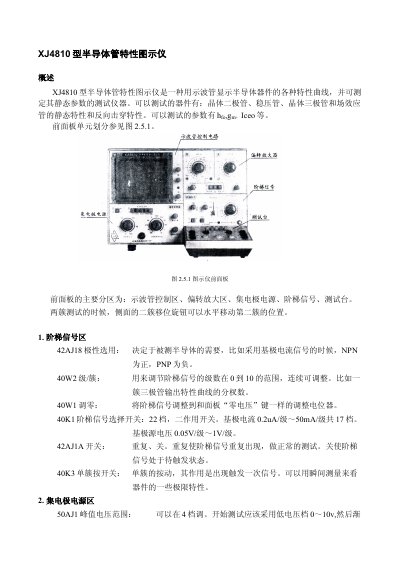
The XJ4810 Semiconductor Tube Characteristics Display Instrument is a test device that shows characteristic curves of diodes, Zener diodes, transistors and FETs on an oscilloscope screen and measures static parameters like hfe, gm and Iceo. It supports both NPN and PNP devices and provides adjustable polarity, step‑signal, and collector‑power‑limit settings.
The manual describes the front‑panel layout, technical specifications, operation procedure, and test examples. It explains how to set zero voltage/current, select signal polarity, adjust step‑signal levels, and perform measurements on various semiconductor types, with detailed circuit diagrams and safety notes. This manual is written in Chinese.
Covers: Overview · Front Panel Layout · Technical Specifications · Operation Procedure · Test Examples · Circuit Principle
Latest XJ4810 manuals
XJ XJ4810 Semiconductor Tube Characteristics Display Instrument User Manual
User Manual 11 pages · 1.6 MB · ZHUser manual for the XJ4810 instrument that displays semiconductor device characteristic curves and measures static parameters such as hfe, gm and Iceo.
Which document do I need?
User Manual
Day-to-day operation, settings and troubleshooting. Start here if the product is already set up.
Questions answered in XJ4810 manuals
How do I set the zero voltage before testing?
Use the “零电压” switch on the front panel to set the zero voltage reference.
From: XJ XJ4810 Semiconductor Tube Characteristics Display Instrument User Manual
What polarity should be selected for NPN devices?
Set the polarity switch to positive (+) for NPN transistors.
From: XJ XJ4810 Semiconductor Tube Characteristics Display Instrument User Manual