
Key facts
- Manuals
- 1
- Categories
- 1
- Languages
- ZH
- Last added
- 2000-01-01
Featured X4550无线多功能 integration 机 manuals
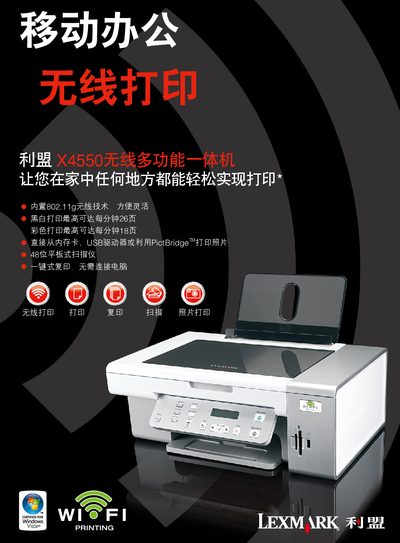
Lexmark X4550 Wireless All-in-One User Manual
The Lexmark X4550 is a wireless all‑in‑one printer that supports 802.11g (compatible with 802.11b) and offers secure networking (WEP, WPA, WPA2). It can print, copy, scan, and print photos directly from memory cards, USB drives, or via PictBridge.
The manual covers installation, supported operating systems (Windows 2000/XP/Vista and Mac OS X), media handling, technical specifications such as print speed, resolution, noise level, and provides guidance on consumables and troubleshooting. This manual is written in Chinese.
Covers: Printing · Copying · Scanning · Photo Printing · Wireless Connectivity · Supported Media
Latest X4550无线多功能 integration 机 manuals
Lexmark X4550 Wireless All-in-One User Manual
User Manual 2 pages · 1.6 MB · ZHThe Lexmark X4550 wireless all‑in‑one user manual provides instructions for printing, copying, scanning, and photo printing with wireless and USB connectivity.
Which document do I need?
User Manual
Day-to-day operation, settings and troubleshooting. Start here if the product is already set up.
Questions answered in X4550无线多功能 integration 机 manuals
What wireless standards does the X4550 support?
It has built‑in 802.11g wireless (compatible with 802.11b) and uses WEP, WPA, or WPA2 security.
Which operating systems are compatible with the X4550?
Supported OSes include Microsoft Windows 2000, XP, XP Professional x64, Vista, and Apple Mac OS X 10.4.4‑10.4 (Intel) or 10.3x‑10.4x (PowerPC).