
Key facts
- Manuals
- 2
- Languages
- ZH
- Last added
- 2000-01-01
Featured WTRFM manuals
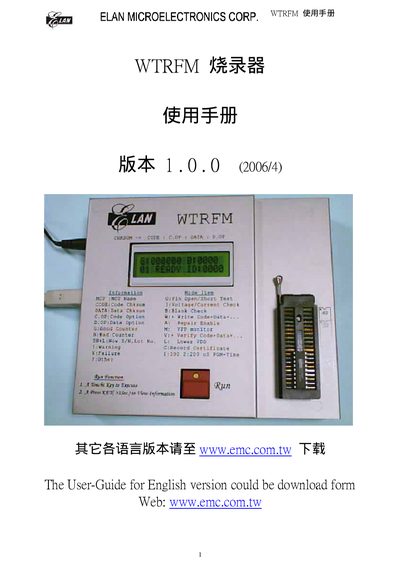
Elan WTRFM Writer User Manual
This manual explains how to install the USB driver and software for the Elan WTRFM writer, describes the basic functions, and provides detailed steps for OTP programming and data handling.
It also covers hardware connection, serial number usage, random lot identification, and troubleshooting information for the device. This manual is written in Chinese.
Covers: USB Installation · Software Installation · Basic Functions · OTP Process · Information Selection · Data Viewing
Latest WTRFM manuals
Elan WTRFM Writer User Manual
User Manual 42 pages · 988 KB · ZHUser guide for installing, configuring and operating the Elan WTRFM writer device.
WTRFM Writer Manual1
The WTRFM Burner User Manual provides instructions for USB installation, eWR3 installation, correct Power ON/OFF steps, hardware and operation instructions for WTRFM, basic function introduction for eWR3, explanation of WTRFM/WTRFI options, example of OTP burning process, explanation of WTRFM messages and codes, instructions for using View Data, instructions for using S/N Code, instructions for using 5840 IRC, and instructions for using information certificates.
Which document do I need?
User Manual
Day-to-day operation, settings and troubleshooting. Start here if the product is already set up.
Questions answered in WTRFM manuals
How do I install the USB driver for the WTRFM?
When using the WTRFM for the first time, you must install the USB driver program before the device can operate.
Where can I download the WTRFM software?
The software can be obtained from the CD that comes with the device or downloaded from the website www.cmc.com.tw.