
Key facts
- Manuals
- 43
- Categories
- 3
- Languages
- EN
- Last added
- 2012-07-06
Featured Wii manuals
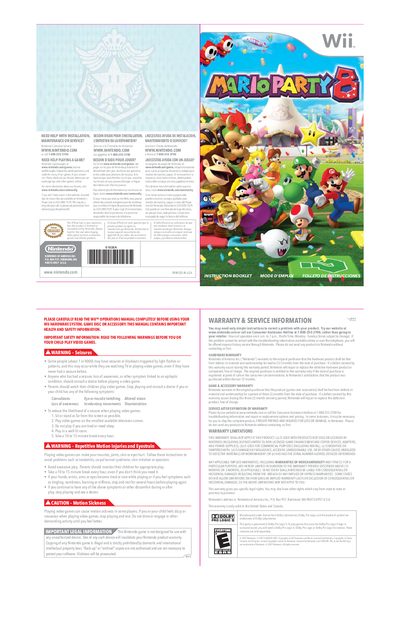
Nintendo Mario Party 8 Instruction Manual
This manual begins with safety and health information, including warnings about seizures, motion sickness, and repetitive‑motion injuries. It also explains the importance of using the Wii Remote wrist strap and provides guidance on taking breaks during play.
The remainder of the booklet covers game setup, controls, and rules. It describes how to point and select with the Wii Remote, explains the various battle modes, board spaces, and candy effects, and includes warranty and service information for both the hardware and the game disc.
Covers: Safety and Health Warnings · Wii Remote Controls and Pointing · Game Flow and Battle Modes · Board Spaces and Candy Effects · Warranty & Service Information · Legal Information
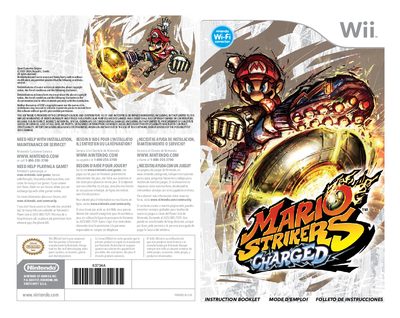
Nintendo Mario Strikers Charged User Manual
This manual provides health and safety warnings, warranty information, and detailed instructions for playing Mario Strikers Charged on the Wii. It covers controller usage, in‑game actions, power‑up items, super abilities, and the MegaStrike feature.
It also explains how to set up Nintendo Wi‑Fi Connection, manage online matches, and understand the ranking system. The document includes troubleshooting tips, warranty terms, and contact information for Nintendo support.
Covers: Health and Safety Warnings · Warranty & Service Information · Controller Layout and Controls · Power‑Up Items and Super Abilities · MegaStrike and MegaSaves · Game Modes and Cup Play
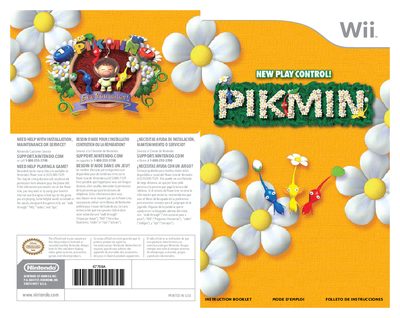
Nintendo Wii Pikmin User Manual
This manual provides step‑by‑step instructions for installing the Pikmin game disc, using the Wii Remote and Nunchuk, and navigating the game’s menus. It covers safety warnings, wrist‑strap usage, and how to manage Pikmin groups during exploration.
Additional sections explain the game’s story, the different Pikmin types, the 30‑day time limit for rescuing the spaceship, and warranty and service details for both the Wii hardware and the Pikmin game.
Covers: Warranty & Service Information · Health & Safety Warnings · Wrist‑Strap Usage · Getting Started & Disc Installation · Game Controls & Menu Navigation · About Pikmin & Their Abilities
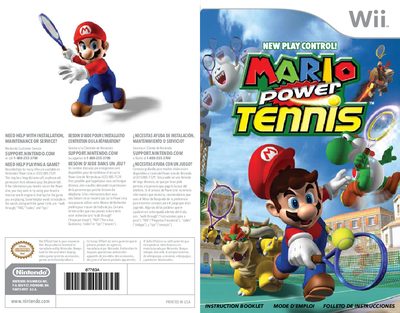
Nintendo Wii Power Tennis Instruction Manual
This instruction booklet provides everything you need to play Nintendo Wii Power Tennis, from basic controller setup to advanced shot techniques. It explains how to configure the Wii Remote and Nunchuk, navigate menus, set up matches, and use Power Shots.
The manual also includes important health and safety warnings, warranty and service information, and guidance on enabling Dolby Pro Logic II surround sound. Contact details for Nintendo Customer Service are provided for installation, maintenance, or gameplay assistance.
Covers: Installation, Maintenance, Service · Warranty & Service Information · Controls · Getting Started · Setting Up a Match · Viewing the Game Screen
Latest Wii manuals
Wii MARIO PARTY 9 Manual(1)
This document is a safety warning, the main content is about epilepsy, repetitive motion injuries and eye strain warnings
Wii EXCITE BOTS TRICK RACING Manual
Wii ENDLESS OCEAN Blue World Manual
This document is an instruction booklet from Nintendo of America Inc. about the use of Nintendo hardware systems, game cards, and accessories. It contains important health and safety information, warning users about the risk of seizures and radio frequency interference during gameplay.
Wii BIG BRAIN ACADEMY WII DEGREE Manual(1)
This document is an instruction manual for the Nintendo product
Wii Sports Resort Manual
Instructions for Nintendo Switch.
Wii Sports Manual
This document is an instruction booklet from Nintendo, which introduces their video game systems, accessories, games, and related products. It provides help with installation, maintenance, and service, as well as assistance with playing games.
Wii Play Manual
This document is a warranty information of Nintendo, which details the warranty period and warranty terms for Nintendo's hardware, game and accessory products.
Wii Party Manual
This document provides information on Nintendo's official customer service, including phone number and website.
Wii SUPER MARIO GALAXY 2 Manual
This document is an instruction booklet for Nintendo game consoles, providing help with installation, maintenance, and service, as well as tips and advice for playing games. Assistance can be obtained through Nintendo's customer service website or phone hotline.
Wii SUPER MARIO GALAXY Manual
This document is about Nintendo game console maintenance and service. It provides help pages, game pages, forums and telephone hotlines.
Wii SIN PUNISHMENT STAR SUCCESSOR Manual
This is a PDF file that contains the Nintendo Switch Lite instruction manual
Wii SAMURAI WARRIORS Manual
This document is the instruction booklet of The Mysterious Murasame Castle game produced by NINTENDO OF AMERICA INC., which introduces the game play, features and how to connect to a sound system to enjoy surround sound
Wii POKEPARK PIKACHU'S ADVENTURE Manual
This is an instruction booklet for Nintendo authorized or manufactured products.
Wii PIKMIN 2 Manual
This document is about Nintendo product use instructions, including installation, maintenance, and repair
Wii METROID Other M Manual
This is a user manual that introduces how to install, maintain and use Nintendo products.
Which document do I need?
User Manual
Day-to-day operation, settings and troubleshooting. Start here if the product is already set up.
Questions answered in Wii manuals
How do you point and select items with the Wii Remote?
Point at the on‑screen item until the finger pointer appears, then press the A button to select.
Can a Nintendo GameCube controller be used with Pikmin?
No, a Nintendo GameCube controller cannot be used with Pikmin.
How many Pikmin can be on the field at the same time?
Up to 100 Pikmin can be present in the field simultaneously.
How can I get help with installation, maintenance, or service?
Contact Nintendo Customer Service at support.nintendo.com or call 1‑800‑255‑3700 for assistance.
How do I enable surround sound for the game?
Enable “Surround” in the sound settings of the Wii console to experience Dolby Pro Logic II audio.
What should I do if the Nunchuk connection error appears?
Reconnect the Nunchuk; if the error persists, the Wii Remote or Nunchuk may be malfunctioning.