
Key facts
- Manuals
- 3
- Languages
- ZH
- Last added
- 2012-03-20
Featured WebSphere manuals
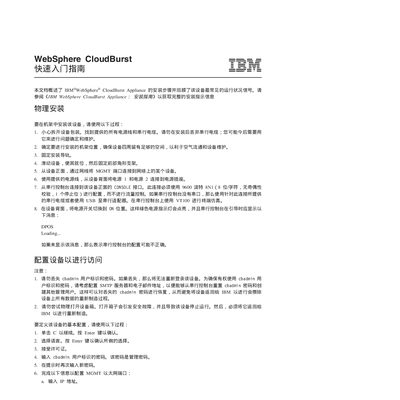
IBM CloudBurst Quick Start Guide
The guide describes the physical installation of the WebSphere CloudBurst appliance, including rack mounting, connecting power and serial cables, and ensuring proper airflow. It also covers how to attach the management port and serial console using 9600‑baud, 8N1 settings.
After hardware setup, the document explains configuring network settings via the web GUI, accessing https://myCloudBurst.ibm.com with the default cbadmin credentials, and setting IP address, subnet mask, gateway, and DNS. Supported browsers are Mozilla Firefox 3.0.x and Internet Explorer 7/8. This manual is written in Chinese.
Covers: Physical Installation · Serial Console Connection · Network Configuration · Web GUI Access · Supported Browsers
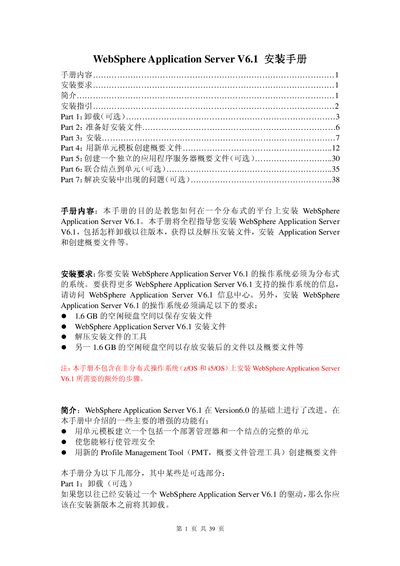
IBM WebSphere Application Server V6.1 Installation Guide
This guide explains how to install WebSphere Application Server V6.1 on a distributed operating system. It includes requirements, preparation of installation files, the installation process, and post‑install tasks such as creating and managing profiles.
The document is organized into optional and required sections: uninstalling previous versions, preparing installation media, performing the installation, creating a profile with a new cell template, optionally creating a standalone server profile, joining nodes to a cell, and troubleshooting common installation problems. This manual is written in Chinese.
Covers: Uninstall (optional) · Prepare Installation Files · Installation · Create Profile with New Cell Template · Create Standalone Application Server Profile (optional) · Join Node to Cell (optional)
IBM WebSphere Application Server 4.0 Programming Manual
The document introduces Java Message Service (JMS) and its role in enterprise messaging for WebSphere Application Server 4.0. It covers the two messaging architectures—point‑to‑point (PTP) and publish/subscribe (pub/sub)—and describes the main JMS components such as connections, sessions, producers, and consumers.
It also explains how Java Naming and Directory Interface (JNDI) provides a portable naming service for JMS objects, allowing applications to obtain connection factories and destinations without hard‑coding provider‑specific details. This manual is written in Chinese.
Covers: JMS Overview · Message Model · Message Components · Message Types · Target Types and Subtypes · JMS and JNDI
Latest WebSphere manuals
IBM CloudBurst Quick Start Guide
Quick Start Guide 3 pages · 38 KB · ZHThis Quick Start Guide provides installation steps and basic configuration for the IBM CloudBurst appliance.
IBM WebSphere Application Server V6.1 Installation Guide
Installation Guide 39 pages · 1.4 MB · ZHInstallation guide for IBM WebSphere Application Server V6.1, covering prerequisites, installation steps, profile creation, and troubleshooting.
IBM WebSphere Application Server 4.0 Programming Manual
Programming Manual 36 pages · 222 KB · ZHThis manual explains JMS concepts, message models, and JNDI usage for WebSphere Application Server 4.0.
Which document do I need?
Quick Start Guide
The shortest path to a working setup, usually only a few pages.
Installation Guide
Mounting, wiring and first power-up. Read it before the hardware goes in.
Programming Manual
Instruction set, parameters and examples for configuring or programming the device.
Questions answered in WebSphere manuals
What URL should I use to access the CloudBurst web interface?
Enter https://myCloudBurst.ibm.com in a supported browser to reach the Web GUI.
Which browsers are supported for the CloudBurst web GUI?
The web interface works with Mozilla Firefox version 3.0.x and Microsoft Internet Explorer version 7 or 8.
What disk space is needed to install WebSphere Application Server V6.1?
You need about 1.6 GB of free hard‑disk space for the installation files and another 1.6 GB for the installed files and profiles.
From: IBM WebSphere Application Server V6.1 Installation Guide
How do I uninstall a previous version of WebSphere Application Server V6.1?
Open a command prompt, go to the <WAS_HOME>/uninstall directory, and run the uninstaller (uninstaller.exe on Windows or ./uninstall.bin on Unix/Linux). Follow the wizard, confirming the removal of all profiles.
From: IBM WebSphere Application Server V6.1 Installation Guide
What are the two messaging models supported by JMS?
JMS supports point‑to‑point (PTP) and publish/subscribe (pub/sub) architectures.
From: IBM WebSphere Application Server 4.0 Programming Manual