
Key facts
- Manuals
- 2
- Languages
- ZH
- Last added
- 2026-09-29
Featured WAGNER manuals
Wagner MMC220 Wood Moisture Meter User Manual
The Wagner MMC220 is a handheld wood moisture meter designed to measure the density of various wood species. It displays the moisture reading as a density value and includes a comprehensive table of tree‑species densities for reference.
The manual explains how to open the rear cover and install the battery, power on the device, set the tree‑species density using the dedicated key, and read the measurement result. It also provides extensive density tables for both broadleaf and coniferous species, as well as for plywood and oriented strand board. This manual is written in Chinese.
Covers: Battery Installation · Power On Procedure · Tree Species Density Setting · Reading Measurement Results · Density Tables · Device Overview
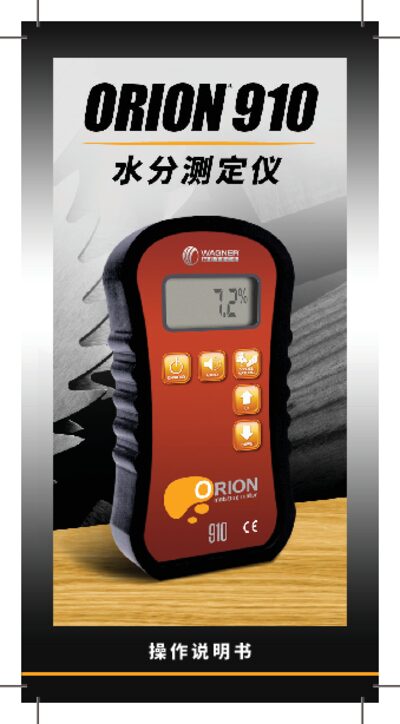
Wagner Orion 910 Moisture Meter User Manual
The Orion 910 is a handheld wood moisture meter from Wagner that uses IntelliSense™ technology to measure the internal moisture content of wood and other building materials. It features a digital LCD display, low‑battery alarm, and automatic power‑off to conserve energy.
The manual explains how to power on the device, select material settings, perform quick start measurements, calibrate, replace the battery, and store the instrument safely. It also includes button functions, measurement range details, and warranty information. This manual is written in Chinese.
Covers: 产品介绍 · 部件说明 · 快速启动 · 正确使用指南 · 按钮功能 · 校准
Latest WAGNER manuals
Wagner MMC220 Wood Moisture Meter User Manual
User Manual 9 pages · 183 KB · ZHThe Wagner MMC220 Wood Moisture Meter User Manual provides setup, tree species density settings, and result reading instructions.
Wagner Orion 910 Moisture Meter User Manual
User Manual 36 pages · 1.7 MB · ZHThe Wagner Orion 910 Moisture Meter User Manual provides setup, operation, calibration, battery replacement, storage, and warranty information.
Which document do I need?
User Manual
Day-to-day operation, settings and troubleshooting. Start here if the product is already set up.
Questions answered in WAGNER manuals
How do I install the battery?
Open the rear cover of the MMC220 and install the battery.
How do I set the tree species density?
Press the tree‑species setting key and adjust the value; each press increases the value by 0.01, cycling from 0.20 to 1.00.
How do I turn the Orion 910 on?
Press and release the ON/HOLD button; the instrument will power up and display the model and firmware version.
What is the moisture measurement range of the Orion 910?
The device measures moisture from 4.0 % up to 32.0 % (range may vary slightly with material settings).