
Key facts
- Manuals
- 5
- Models
- 1
- Categories
- 1
- Languages
- ZH
- Last added
- 2011-11-03
Vantron models by category
Featured Vantron manuals
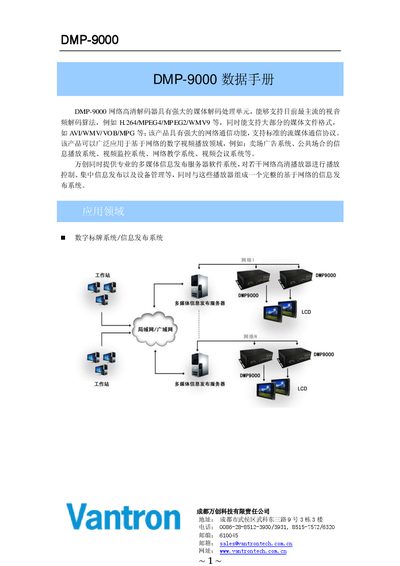
Vantron DMP-9000 Network HD Decoder Datasheet
The DMP-9000 network HD decoder from Vantron integrates a 200 MHz embedded ARM processor, a high‑performance DSP video decoder and 128 MB DDR plus 16 MB flash memory. It runs an embedded real‑time Linux OS (kernel 2.4.22) and supports a wide range of video standards such as H.264, MPEG‑4, MPEG‑2, WMV9 and more, up to 1920×1080 p60.
The unit offers diverse output options—HDMI, VGA, component (YPbPr), composite and S‑Video—as well as audio outputs via HDMI and stereo RCA. Peripheral interfaces include 10/100 M Ethernet, dual USB 2.0, SD‑card slot, IrDA, RS‑232 and an optional mini‑PCI for Wi‑Fi. It operates from a 12 V DC supply, consumes less than 5.4 W, and works in temperatures from –20 °C to +60 °C. This manual is written in Chinese.
Covers: Application Areas · Main Features · Video Decoding Standards · Video Output Interfaces · Audio Decoding Standards · Audio Output Interfaces
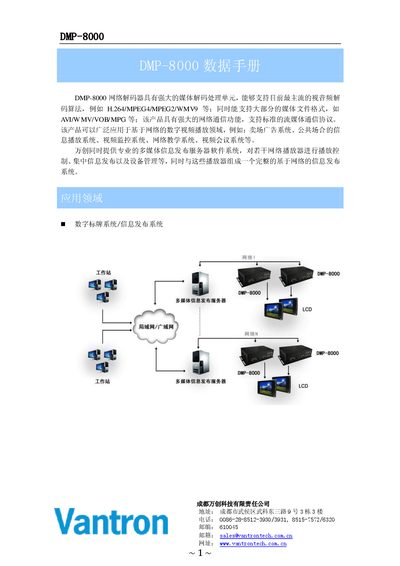
Vantron DMP-8000 Network Decoder User Manual
The DMP-8000 is a network decoder designed for digital video playback and multimedia information publishing in venues such as advertising displays and public information systems. It features a powerful media decoding unit that supports common audio‑video codecs and a range of network communication protocols.
The manual details the device's main features, hardware specifications, video and audio output options, peripheral interfaces, advanced functions such as watchdog and dual‑system redundancy, power requirements, and environmental limits. It also includes wiring diagrams, LED status indicators, and instructions for firmware updates and system configuration. This manual is written in Chinese.
Covers: 主要特性 · 视频解码标准 · 视频输出接口 · 音频解码标准 · 音频输出接口 · 外围接口
Vantron NCS Client V4.5.0 User Manual
This manual describes the NCS Client software, a Windows‑based application for real‑time video playback, device configuration, recording management, PTZ control, and alarm handling. It is designed to work exclusively with Vantron video servers such as DVS‑2000, DVS‑3000, and DVS‑4000.
The document covers software installation, user login methods (direct server connection or via a central server), detailed descriptions of the main window sections (server list, playback windows, PTZ control, quick‑action buttons, layout selection, system info, and user management), and extensive parameter settings including basic, audio/video, network, motion detection, alarm output, recording, download, port configuration, active connection, and advanced options. This manual is written in Chinese.
Covers: 概述 · 软件安装 · 软件使用说明 · 用户登陆说明 · 主窗口说明 · 参数设置
Latest Vantron manuals
Vantron DMP-9000 Network HD Decoder Datasheet
Datasheet 5 pages · 598 KB · ZHThe Vantron DMP-9000 is a network HD decoder with ARM processor, multiple video/audio codecs and extensive I/O options.
Vantron DMP-8000 Network Decoder User Manual
User Manual 5 pages · 511 KB · ZHThe Vantron DMP-8000 network decoder manual provides specifications, interfaces, and operating instructions for digital video playback and multimedia…
Vantron VT-6410-PB motherboard Manual
Vantron NCS Client V4.5.0 User Manual
User Manual 29 pages · 1.1 MB · ZHThe Vantron NCS Client V4.5.0 User Manual provides installation steps, login instructions, interface overview, and configuration settings for video…
Vantron DMP8000 multimedia player Manual
Which document do I need?
Datasheet
Ratings, dimensions and ordering codes, for selection and design work.
User Manual
Day-to-day operation, settings and troubleshooting. Start here if the product is already set up.
Questions answered in Vantron manuals
What are the operating temperature limits of the DMP-9000?
The device operates from –20 °C up to +60 °C.
Which peripheral interfaces are available on the DMP-9000?
It includes a 10/100 M Ethernet port, two USB 2.0 ports, an SD‑card slot, IrDA, RS‑232 and an optional mini‑PCI slot for Wi‑Fi.
What video output options does the DMP-8000 provide?
It offers one composite video output, one component (Y‑Pb‑Pr) output, one VGA output, and one S‑Video output.
What are the power requirements and consumption of the DMP-8000?
It requires a 12 V DC power supply and consumes less than 5 W of power.
How many video servers can a single playback window connect to at the same time?
Each playback window can connect to up to five video servers simultaneously.
How can a remote video server be added in the NCS Client?
Right‑click in the remote video server list area, choose “Add”, then enter the server’s domain name or WAN IP address and confirm.