
Key facts
- Manuals
- 2
- Categories
- 1
- Languages
- ZH
- Last added
- 2026-09-29
Featured UTT manuals
UTT ReOS_SE3.0 Router Advanced Configuration Manual
This manual provides step‑by‑step instructions for configuring UTT routers that run the ReOS_SE3.0 software platform. It covers everything from hardware installation and initial login to detailed network, security and VPN settings.
Key sections include hardware installation, system monitoring, network configuration, user and behavior management, traffic control, firewall policies, VPN setup, and system maintenance tasks such as logging and scheduled jobs. This manual is written in Chinese.
Covers: Introduction · Hardware Installation · Device Login · Configuration Wizard · System Monitoring · Network Configuration
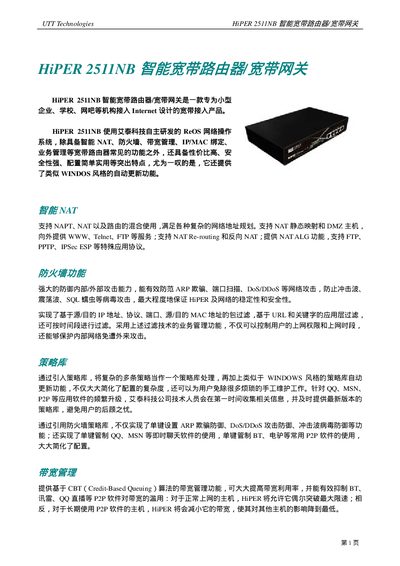
UTT Technologies HiPER 2511NB Broadband Router Manual
The HiPER 2511NB is a broadband router/gateway designed for small businesses, schools, and internet cafés. It runs the ReOS network operating system and provides intelligent NAT, firewall, bandwidth management, and policy‑based filtering.
The manual explains hardware specifications, supported network connections, configuration interfaces (WEB UI, CLI), and advanced features such as VPN passthrough, QoS, and remote management. This manual is written in Chinese.
Covers: Features Overview · Security and Filtering · Bandwidth Management · Network Interfaces · System Specifications · Installation and Setup
Latest UTT manuals
UTT ReOS_SE3.0 Router Advanced Configuration Manual
User Manual 126 pages · 5.2 MB · ZHThe UTT ReOS_SE3.0 Router Advanced Configuration Manual explains hardware installation, system setup, network, user, traffic, firewall, VPN and other features.
UTT Technologies HiPER 2511NB Broadband Router Manual
User Manual 4 pages · 109 KB · ZHUser manual for the HiPER 2511NB broadband router/gateway by UTT Technologies, covering features, setup, and management.
Which document do I need?
User Manual
Day-to-day operation, settings and troubleshooting. Start here if the product is already set up.
Questions answered in UTT manuals
How do I reset the router to factory defaults?
Press and hold the Reset button for more than 5 seconds while the device is powered on, then release; the router will restore factory settings and reboot.
What are the default login username and password?
The default username is admin and the default password is admin (case‑sensitive).
What network connection types does the HiPER 2511NB support?
It supports DSL, FTTX+LAN, and Cable Modem connections.
How many LAN ports are available on the device?
The router provides four built‑in LAN ports and one WAN port.