
Key facts
- Manuals
- 4
- Languages
- ZH · EN
- Last added
- 2012-02-21
Featured UPS manuals
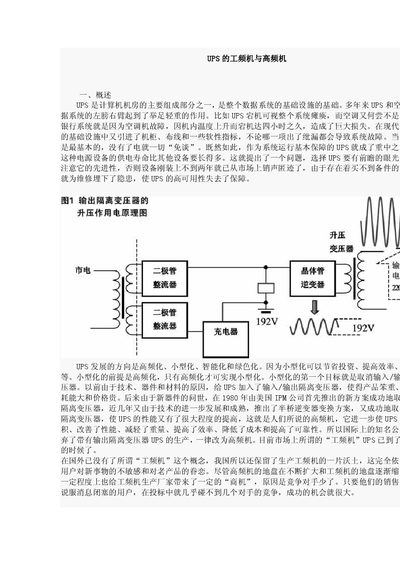
Philips UPS Low‑Frequency and High‑Frequency Comparison Guide
This document explains the differences between low‑frequency (工频机) and high‑frequency (高频机) UPS systems. It describes why traditional UPS used output isolation transformers, the role of those transformers, and why modern high‑frequency designs can eliminate them.
The guide also discusses the impact of transformer removal on size, efficiency, reliability, and power factor correction, providing circuit‑level insights for engineers and system planners. This manual is written in Chinese.
Covers: Overview · Role of Output Isolation Transformer · Main Parts of Low‑Frequency UPS · Zero‑Line Isolation · Transformer Limitations · High‑Frequency UPS Transformer Myth
UPS WorldShip User Guide
This guide provides step‑by‑step instructions for using UPS WorldShip 2011 to process domestic and international shipments, including package entry, service selection, payment information, and label printing. It also covers special functions such as hazardous‑material handling, future‑date pickups, and Trade Direct shipments.
Additional sections describe how to customize toolbars, edit and delete packages before daily summary processing, generate reports, and access technical support. The document is organized as a detailed table of contents with clear headings for each workflow. This manual is written in Chinese.
Covers: Processing Shipments · International Shipments · Future Pickup Shipments · Returns Processing · Editing Packages and Shipments · Air Shipments
UPS 500VA/1000VA/2000VA Uninterruptible Power System Manual
The document describes the UPS line‑interactive technology, its input and output parameters, battery backup operation, and safety guidelines. It includes wiring diagrams, installation steps, and maintenance procedures for the 500VA, 1000VA, and 2000VA models.
Technical data such as supported input voltages, frequency tolerance, output voltage regulation, AVR range, battery capacity, and physical dimensions are listed, allowing users to select the appropriate model and configure it for their power environment.
Covers: Introduction · Line‑Interactive Operation · Input and Output Parameters · Battery Backup · Technical Specifications · Installation
Latest UPS manuals
Philips UPS Low‑Frequency and High‑Frequency Comparison Guide
Application Note 6 pages · 237 KB · ZHTechnical comparison of low‑frequency and high‑frequency UPS designs, focusing on output isolation transformers and efficiency benefits.
UPS WorldShip user manual
UPS WorldShip User Guide
User Manual 42 pages · 1.4 MB · ZHThe UPS WorldShip User Guide explains how to create shipments, edit packages, and use advanced features in the 2011 version of the software.
UPS 500VA/1000VA/2000VA Uninterruptible Power System Manual
User Manual 4 pages · 160 KB · ENThis manual provides specifications, features, and usage instructions for the UPS 500VA/1000VA/2000VA line‑interactive uninterruptible power system.
Which document do I need?
Application Note
How to use the product for one specific task, with worked examples.
User Manual
Day-to-day operation, settings and troubleshooting. Start here if the product is already set up.
Questions answered in UPS manuals
What is the purpose of the output isolation transformer in a low‑frequency UPS?
It steps up the voltage to the required peak level and provides isolation for the neutral line.
From: Philips UPS Low‑Frequency and High‑Frequency Comparison Guide
Does a high‑frequency UPS contain a traditional transformer?
No, high‑frequency UPS uses an electronic boost converter instead of a conventional transformer.
From: Philips UPS Low‑Frequency and High‑Frequency Comparison Guide
How can I edit a package or shipment?
In the Shipment History window, select the package or shipment you want to edit, choose “Edit/Clear Shipment” from the Operations menu, make the changes, and then process the shipment again.
From: UPS WorldShip User Guide
How do I disable the export‑document feature?
Open the Shipper Editor from the Tools menu, go to the International tab, and clear the checkboxes for “Enable Invoice”, “Enable NAFTA CO”, and “Enable CO”.
From: UPS WorldShip User Guide
What input voltages does the UPS support?
The UPS accepts input voltages from 100 V up to 240 V.
From: UPS 500VA/1000VA/2000VA Uninterruptible Power System Manual
What is the frequency tolerance of the UPS?
It operates at 50 Hz or 60 Hz with a tolerance of ±10 %.
From: UPS 500VA/1000VA/2000VA Uninterruptible Power System Manual