
Key facts
- Manuals
- 2
- Languages
- EN · ZH
- Last added
- 2012-03-14
Featured Tissot manuals
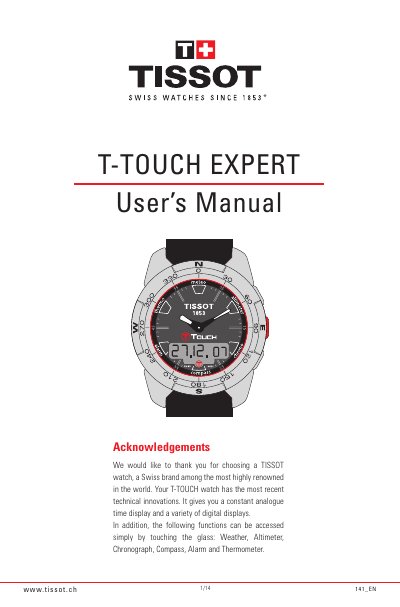
Tissot T-TOUCH EXPERT User Manual
This manual provides step‑by‑step instructions for using the T‑TOUCH EXPERT watch. It covers basic time setting, date configuration, unit selection, and how to activate the touch‑sensitive glass that controls all functions.
Detailed sections describe each specialty function – Weather, Altimeter, Chronograph, Compass, Thermometer and Alarm – including calibration, measurement ranges, and battery‑saving standby mode. Safety warnings and service information are also included.
Covers: Acknowledgements · Setting Times · Units Display · Hemisphere and Climate Zone · Weather · Altimeter
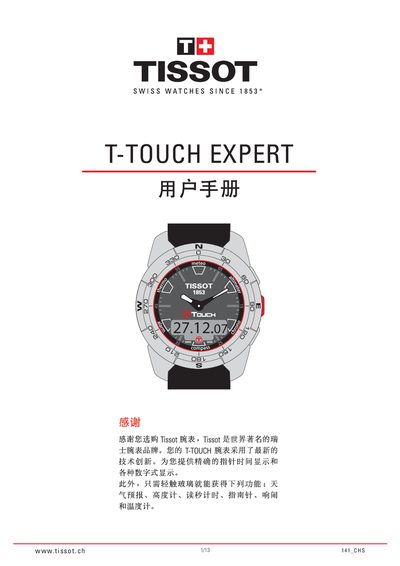
Tissot T-TOUCH EXPERT User Manual
This manual provides step‑by‑step instructions for using the T‑Touch Expert’s touch‑screen interface, setting the time, date, and selecting between 12‑hour and 24‑hour modes. It also covers how to enable or disable the glass display, power‑saving mode, and how to navigate the various sub‑menus such as unit display and climate settings.
Additional sections describe the watch’s sensor‑based functions: weather forecast, barometric pressure, altitude and altitude‑difference measurement, and temperature display. Guidance is given for synchronising the hands with digital time, configuring north/south hemisphere and climate zones, and troubleshooting sensor faults. This manual is written in Chinese.
Covers: 一般用户信息 · 显示模式 · 单位显示 · 节电模式 · 南北半球和气候区域 · 同步设置模式
Latest Tissot manuals
Tissot T-TOUCH EXPERT User Manual
User Manual 14 pages · 5.8 MB · ENThe Tissot T-TOUCH EXPERT user manual explains how to operate its touch‑sensitive functions such as time, weather, altimeter, chronograph, compass, alarm…
Tissot T-TOUCH EXPERT User Manual
User Manual 13 pages · 13.4 MB · ZHThe Tissot T‑Touch Expert user manual explains how to operate the watch’s touch screen, time, date, weather, altitude and other functions.
Which document do I need?
User Manual
Day-to-day operation, settings and troubleshooting. Start here if the product is already set up.
Questions answered in Tissot manuals
What is the water‑resistance rating of the T‑TOUCH EXPERT?
The watch is water‑resistant to 10 bar, equivalent to 100 m (330 ft) depth.
How can I change the temperature unit from Celsius to Fahrenheit?
Open Settings > Units and select either "°C" or "°F" to change the temperature display.
How do I enable or disable power‑saving mode?
Select the Power Saving Mode setting; after 10 seconds of inactivity the watch automatically switches to power‑saving mode, leaving only time and date active.
How is altitude measured by the watch?
The altitude function uses a pressure‑altitude conversion: it calculates height from absolute atmospheric pressure relative to sea level.