
Key facts
- Manuals
- 1
- Languages
- ZH
- Last added
- 2000-01-01
Featured surfly manuals
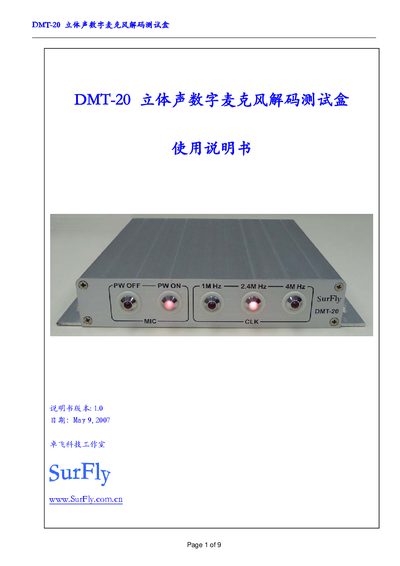
Surfly DMT-20 Stereo Digital Microphone Decoding Test Box User Manual
The DMT-20 is a stereo digital microphone decoding test box that converts digital microphone signals to analog stereo audio for measurement equipment. It features touch controls, LED status indicators, selectable clock frequencies (1 MHz, 2.4 MHz, 4 MHz), and COM‑1 interface for PC control.
The manual covers version history, hardware installation, front and rear panel descriptions, microphone wiring, test procedures, COM communication commands, technical specifications, and warranty information. This manual is written in Chinese.
Covers: Version Upgrade Record · Hardware Installation and Connection · Front Panel Description · Rear Panel Description · Digital Microphone Wiring · Testing Digital Microphone
Latest surfly manuals
Surfly DMT-20 Stereo Digital Microphone Decoding Test Box User Manual
User Manual 9 pages · 433 KB · ZHThe Surfly DMT-20 User Manual provides setup, connection, operation, and specifications for the stereo digital microphone decoding test box.
Which document do I need?
User Manual
Day-to-day operation, settings and troubleshooting. Start here if the product is already set up.
Questions answered in surfly manuals
How do I turn the digital microphone power on and off?
Use the touch controls: PWON to turn power on and PWOFF to turn power off.
From: Surfly DMT-20 Stereo Digital Microphone Decoding Test Box User Manual
How can I change the microphone clock frequency?
Select the desired frequency (1 MHz, 2.4 MHz, or 4 MHz) using the touch control.
From: Surfly DMT-20 Stereo Digital Microphone Decoding Test Box User Manual