
Key facts
- Manuals
- 6
- Categories
- 1
- Languages
- EN · ZH
- Last added
- 2012-03-09
Featured standwell manuals
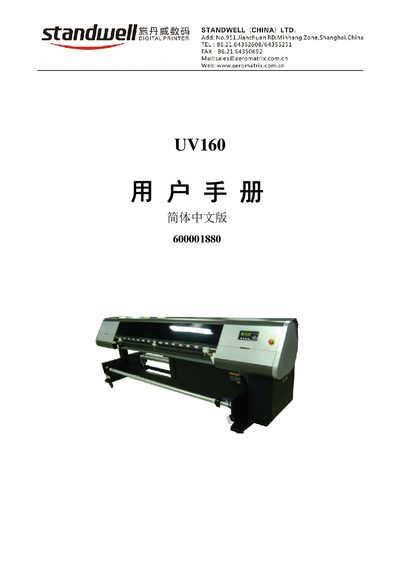
Standwell UV160 Printer User Manual
This manual covers the essential information for installing and using the Standwell UV160 UV printer. It includes safety precautions, wiring requirements, and step‑by‑step setup procedures.
Later sections describe normal operation, routine maintenance, troubleshooting tips, and service information to keep the printer running reliably in industrial environments.
Covers: Safety Precautions · Installation · Operation · Maintenance · Troubleshooting
W-Jet 3308B (Box) Spray Printer Operation Manual
This manual provides safety precautions, equipment overview, and detailed installation steps for the W-Jet 3308B (Box) spray printer. It explains the printer's components, control panel functions, and required PC configuration.
The guide also covers software installation, printer calibration, normal printing procedures, and routine cleaning and maintenance of the printhead and ink system. This manual is written in Chinese.
Covers: Safety Precautions · Equipment Overview · Installation of the Printer · Control Panel Menu Description · Software Installation and Basic Operation · Printing Process and Printhead Cleaning
W-Jet 3308X Printer Operation Manual
This manual covers all aspects of using the W-Jet 3308X wide‑format printer, including safety precautions, equipment overview, installation, control panel functions, and software operation. Detailed sections guide users through proper setup, printing workflow, and routine maintenance.
Important safety notes are highlighted, such as placing the printer on a stable surface, ensuring proper ventilation, using the correct power source, and avoiding exposure to liquids. Maintenance procedures describe head cleaning, ink replacement, and regular checks to keep the printer operating reliably. This manual is written in Chinese.
Covers: Precautions · Product Overview · Installation · Control Panel Menu · Software Operation · Printing Process and Maintenance
W-Jet 3308B (Leg) Wide-format Printer Operation Manual
This manual covers all aspects of using the W-Jet 3308B (Leg) wide‑format printer, including safety precautions, equipment overview, installation, control‑panel functions, and software configuration. Detailed sections guide users through normal printing processes and head cleaning/maintenance.
Key safety notes emphasize proper placement, grounding, ventilation, and handling of power supplies. Maintenance instructions describe head cleaning, ink replacement, and periodic checks to keep the printer operating reliably. This manual is written in Chinese.
Covers: Precautions · Product Overview · Installation · Control Panel Menu · Software Basics · Printing Process and Head Maintenance
Latest standwell manuals
Standwell UV160 Printer User Manual
User Manual 72 pages · 1.9 MB · ENThe Standwell UV160 printer user manual provides setup, operation, and maintenance instructions.
standwell FINA320B Manual
W-Jet 3308B (Box) Spray Printer Operation Manual
User Manual 28 pages · 1.3 MB · ZHOperation manual for the W-Jet 3308B (Box) spray printer covering safety, installation, software use and maintenance.
W-Jet 3308X Printer Operation Manual
User Manual 27 pages · 1.2 MB · ZHThe W-Jet 3308X printer operation manual provides safety guidelines, installation steps, software setup, printing procedures, and maintenance instructions.
Standwell FINA320S Manual
W-Jet 3308B (Leg) Wide-format Printer Operation Manual
User Manual 33 pages · 1.9 MB · ZHThe W-Jet 3308B (Leg) operation manual provides safety guidelines, installation steps, software setup, printing procedures, and maintenance instructions for…
Which document do I need?
User Manual
Day-to-day operation, settings and troubleshooting. Start here if the product is already set up.
Questions answered in standwell manuals
Who manufactures the UV160 printer?
It is manufactured by Standwell (China) Ltd.
What is the required power voltage for the W-Jet 3308B (Box)?
The printer operates on AC 100 ~ 240 V power supply.
How often should the cleaning box be cleaned?
The cleaning box should be inspected and cleaned weekly.
What safety precautions should be followed when installing the W-Jet 3308B printer?
Do not place the machine on unstable surfaces, tilted areas, or places with strong vibration; keep it away from direct sunlight, heat sources, moisture, and dust; ensure proper grounding and adequate ventilation space around the printer.
From: W-Jet 3308B (Leg) Wide-format Printer Operation Manual
How do you perform a positive‑pressure cleaning of the print head?
Press the CLEAN key on the control panel to press ink through the head; hold the key for 3‑5 seconds for a full cleaning, then the air‑knife automatically scrapes the ink.
From: W-Jet 3308B (Leg) Wide-format Printer Operation Manual