
Key facts
- Manuals
- 1
- Categories
- 1
- Languages
- ZH
- Last added
- 2012-03-16
Featured SPD-T56 manuals
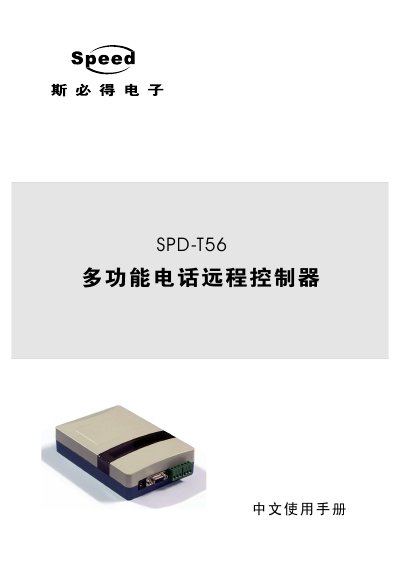
Speed SPD‑T56 Multi‑function Telephone Remote Controller User Manual
This user manual provides step‑by‑step instructions for installing the SPD‑T56 controller, wiring the power, temperature sensor, telephone line and RS‑485 interface, and configuring initial settings such as ring count and phone numbers. Detailed command tables show how to query temperature, humidity, output status, and how to set alarm thresholds and actions.
The guide also includes a troubleshooting section covering common issues like telephone line problems and unexpected output changes, plus a complete list of technical specifications and physical dimensions for planning installation in industrial environments. This manual is written in Chinese.
Covers: User Manual Introduction · Product Overview · Hardware Installation · Initial Settings · Control Operations · Frequently Asked Questions
Latest SPD-T56 manuals
Speed SPD‑T56 Multi‑function Telephone Remote Controller User Manual
User Manual 15 pages · 257 KB · ZHThe Speed SPD‑T56 manual explains installation, initial setup, control commands and troubleshooting for the multi‑function telephone remote temperature…
Which document do I need?
User Manual
Day-to-day operation, settings and troubleshooting. Start here if the product is already set up.
Questions answered in SPD-T56 manuals
How can I change the controller password?
After the telephone line is connected, press *7 followed by the new 6‑digit password, another #, then repeat the password and #. The default password is 111111.
From: Speed SPD‑T56 Multi‑function Telephone Remote Controller User Manual
What command queries the current temperature and humidity?
Dial the command defined in the manual (the exact command string is listed in the control operation section) and the controller will announce the temperature and humidity via voice prompt.
From: Speed SPD‑T56 Multi‑function Telephone Remote Controller User Manual