
Key facts
- Manuals
- 2
- Languages
- ZH
- Last added
- 2026-09-29
Featured SP manuals
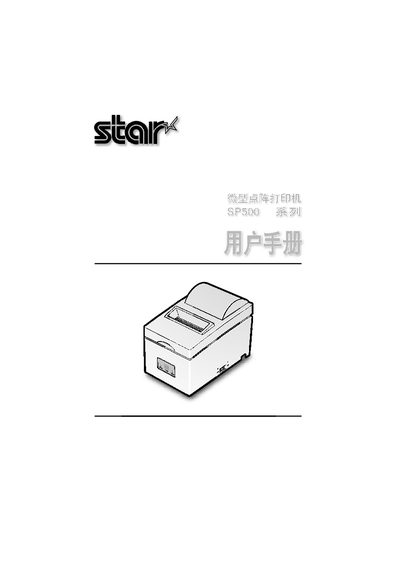
SP SP500 Dot Matrix Printer User Manual
The SP500 dot matrix printer is a bi‑directional, 9‑pin printer designed for electronic devices such as point‑of‑sale terminals, banking systems and computer peripherals. It supports both parallel and serial interfaces and includes a buffer that allows data to be received while printing.
The manual covers unpacking, placement, safety precautions, wiring of serial and parallel cables, power connection, ribbon and paper installation, control‑panel indicators, troubleshooting, adjustment modes, and detailed specifications such as print speed, paper dimensions and power requirements. This manual is written in Chinese.
Covers: Overview · Unpacking and Installation · Components and Terminology · Cable and Power Connections · Ribbon and Paper Installation · Control Panel and Functions
Silicon Power SP Widget User Manual
This manual introduces the SP Widget software, which provides backup, encryption, and restore functions for Silicon Power storage devices. It includes a product overview, system requirements, and step‑by‑step instructions for starting the program.
The guide details the main window functions such as folder backup, data encryption, browser bookmark and Outlook email backup, as well as language selection and software update procedures. Each feature is illustrated with screenshots and brief explanations. This manual is written in Chinese.
Covers: Disclaimer · Product Introduction · System Requirements · Getting Started · Main Window Overview · Data Encryption
Latest SP manuals
SP SP500 Dot Matrix Printer User Manual
User Manual 43 pages · 1.7 MB · ZHThis manual provides overview, installation, wiring, ribbon and paper loading, control panel functions and maintenance for the SP500 dot matrix printer used…
Silicon Power SP Widget User Manual
User Manual 29 pages · 3.6 MB · ZHThe Silicon Power SP Widget User Manual explains installation, backup, encryption, language selection and update features for the SP Widget software.
Which document do I need?
User Manual
Day-to-day operation, settings and troubleshooting. Start here if the product is already set up.
Questions answered in SP manuals
How should the serial interface be connected?
Insert the RS‑232C cable into the rear serial port of the printer and tighten the two side screws.
What type of paper can be used with the SP500 printer?
The printer accepts general roll paper or non‑carbon copy paper with a width of 76 mm ± 0.5 mm (or 57.5 mm ± 0.5 mm).
Which operating systems does SP Widget support?
SP Widget supports Microsoft Windows 7, Windows XP, and Windows Vista.
How can I change the language in SP Widget?
Select the language option in the program and choose English, Traditional Chinese, Simplified Chinese, or Auto to follow the system language.