
Key facts
- Manuals
- 1
- Languages
- ZH
- Last added
- 2012-01-13
Featured Shark manuals
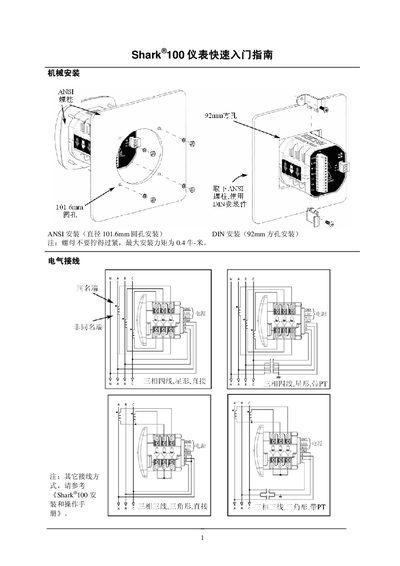
Shark 100 Instrument Table Quick Start Guide
The guide provides step‑by‑step instructions for installing the Shark 100 instrument table, including mounting hole sizes, torque limits, and electrical wiring. It also covers how to use the front‑panel buttons to access menus and configure parameters.
Key sections describe entering configuration mode, entering a four‑digit password to modify settings, adjusting CT and PT parameters, and saving or discarding changes. Wiring diagrams and connection options are also included. This manual is written in Chinese.
Covers: Quick Start Guide · Installation · Electrical Wiring · Front Panel Configuration · Parameter Settings · Wiring (Cnct)
Latest Shark manuals
Shark 100 Instrument Table Quick Start Guide
Quick Start Guide 2 pages · 289 KB · ZHThis quick start guide explains installation, wiring, and configuration of the Shark 100 instrument table.
Which document do I need?
Quick Start Guide
The shortest path to a working setup, usually only a few pages.
Questions answered in Shark manuals
How do I enter the configuration mode?
Press MENU on any reading screen to open the main menu, then press ENTER to display the configuration mode (CFG) screens such as SCRL, CT, PT.
What is needed to modify parameters?
A four‑digit password is required before any parameter can be changed.