
Key facts
- Manuals
- 1
- Languages
- JA
- Last added
- 2012-02-28
Featured S7-200/S7-300 manuals
Siemens S7-200/S7-300 PLC 187.5K Communication Speed Manual
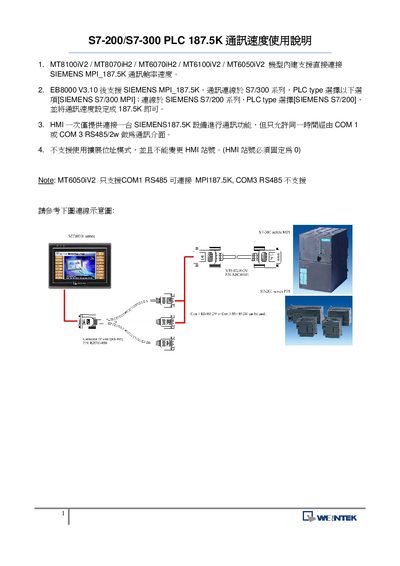
The document provides instructions for configuring the MPI 187.5 kbit/s communication speed on Siemens S7‑200 and S7‑300 PLC series. It lists compatible modules such as MT8100iV2, MT8070iH2, MT6070iH2, MT6100iV2 and MT6050iV2, and shows the required settings in the PLC software.
Only one HMI can be connected to a Siemens 187.5 kbit/s device at a time, and communication is limited to either COM1 or COM3 using RS‑485 (2‑wire). The MT6050iV2 module supports only COM1 RS‑485, while other modules allow both COM1 and COM3. Pin‑out details for the RS‑485 connector are also provided. This manual is written in Japanese.
Covers: Supported Modules · Speed Setting Procedure · COM Port Options · HMI Connection Limitations · Connector Pinout
Latest S7-200/S7-300 manuals
Siemens S7-200/S7-300 PLC 187.5K Communication Speed Manual
User Manual 1 pages · 116 KB · JAThis Siemens manual explains how to set the 187.5 kbit/s MPI communication speed for S7‑200 and S7‑300 PLCs.
Which document do I need?
User Manual
Day-to-day operation, settings and troubleshooting. Start here if the product is already set up.
Questions answered in S7-200/S7-300 manuals
Which COM ports can be used for MPI 187.5 kbit/s communication?
Both COM1 and COM3 can be used with an RS‑485 (2‑wire) connection.
From: Siemens S7-200/S7-300 PLC 187.5K Communication Speed Manual
Does the MT6050iV2 module support COM3 RS‑485 for 187.5 kbit/s?
No, the MT6050iV2 module only supports COM1 RS‑485 for this speed.
From: Siemens S7-200/S7-300 PLC 187.5K Communication Speed Manual