
Key facts
- Manuals
- 1
- Languages
- EN
- Last added
- 2012-03-15
Featured S35B_M manuals
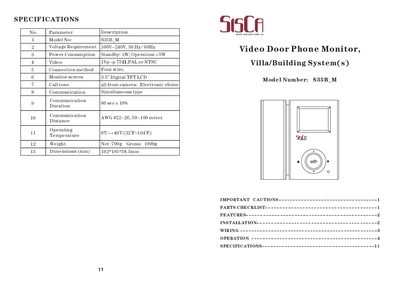
SisCam S35B_M Video Door Phone Monitor User Manual
The S35B_M is a video door phone monitor designed for villa and building entry systems. It features a 3.5" digital TFT LCD screen, four‑wire connection, and supports two cameras with automatic switching.
This manual covers safety precautions, parts checklist, installation steps, wiring diagrams, operation instructions, menu settings, and technical specifications. It also explains how to manage recordings and adjust language preferences.
Covers: Important Cautions · Parts Checklist · Features · Installation · Wiring · Operation
Latest S35B_M manuals
SisCam S35B_M Video Door Phone Monitor User Manual
User Manual 6 pages · 1.2 MB · ENThe SisCam S35B_M video door phone monitor user manual provides installation, wiring, operation, and specifications.
Which document do I need?
User Manual
Day-to-day operation, settings and troubleshooting. Start here if the product is already set up.
Questions answered in S35B_M manuals
How do I install the monitor?
Mount the bracket on the wall, drill a hole for the cables, connect the camera cables, attach the handset cord, secure the monitor on the bracket, plug in the AC power cord and turn the power switch on.
How can I delete recorded files?
Use the UP/DOWN/ENTER keys to select the file, then press the # key to delete it.