
Key facts
- Manuals
- 6
- Models
- 1
- Categories
- 2
- Languages
- EN · ZH
- Last added
- 2012-03-09
Parrot models by category
Featured Parrot manuals
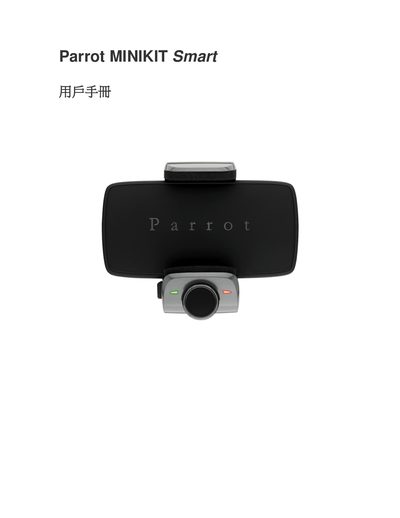
Parrot MINIKIT Smart User Manual
This manual covers the basic operation, setup steps, and safety precautions for the Parrot MINIKIT Smart. It includes information on power connections, Bluetooth pairing, and general usage guidelines.
The document also contains regulatory compliance sections, including FCC declarations, Bluetooth SIG certification, and references to European standards such as EN300328 and EN60950. A support URL is provided for additional resources.
Covers: Safety Information · Regulatory Compliance · FCC Declaration · Bluetooth Certification · European Standards
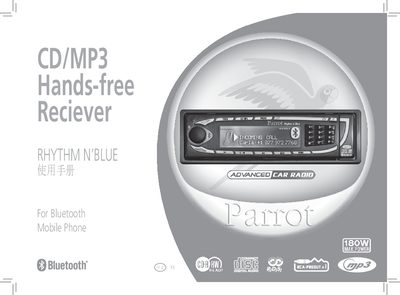
Parrot CD/MP3 Hands-free Reciever RHYTHM N'BLUE Manual
This manual explains how to safely install and operate the Parrot Rhythm N'Blue car radio. It covers safety warnings, power requirements, and the layout of the device, including the CD/MP3 player, Bluetooth hands‑free system, and built‑in microphones.
Detailed sections guide you through mounting the unit, connecting power and speaker wires, using the remote control, navigating the menu, updating the firmware via Bluetooth, and troubleshooting common issues such as no sound or CD playback problems. This manual is written in Chinese.
Covers: Safety Information · Appearance · Installation Guide · Remote Control Operation · Function Modes · Menu Settings
Parrot CK3000 EVOLUTION Car Hands-Free User Manual
The CK3000 EVOLUTION is a car‑mounted hands‑free device that connects to up to three Bluetooth phones, offers full‑duplex calls, echo cancellation, background‑noise reduction and voice‑recognition for up to 150 preset commands. It includes a signal‑processing unit, a microphone, a two‑button remote and ISO‑type audio and mute cables.
The manual explains how to install the unit, connect the power and mute cables to the car radio, pair the device with a phone, adjust volume, use voice commands, set priorities for multiple phones, and access features such as automatic answer, call‑back and keyword dialing. This manual is written in Chinese.
Covers: Preface · Signal‑Processing Unit · Installation · Precautions · First Use · Manual Dialing
Parrot CK3100 Advanced Car Kit User Manual
This manual explains how to install the Parrot CK3100 Advanced Car Kit in a vehicle, including wiring connections for power, ignition, and ground. Detailed diagrams show the placement of the LCD display, microphone, and control box, as well as guidelines for avoiding interference.
It also covers operation of the hands‑free system, menu navigation, Bluetooth pairing, and optional SIM Access Profile features. Safety warnings and compliance statements are included to ensure proper use. This manual is written in Chinese.
Covers: Introduction · Installation · Wiring Diagram · Operation · Menu Functions · Bluetooth Pairing
Latest Parrot manuals
Parrot MINIKIT Smart User Manual
User Manual 15 pages · 703 KB · ENThe Parrot MINIKIT Smart User Manual provides operating instructions, safety information, and regulatory compliance details for the MINIKIT Smart device.
Parrot vehicle Handsfrss ADVANCED CAR DIT Manual
Parrot CD/MP3 Hands-free Reciever RHYTHM N'BLUE Manual
User Manual 16 pages · 780 KB · ZHThe Parrot Rhythm N'Blue car radio user manual provides safety instructions, installation steps, remote control usage, Bluetooth phone functions, and…
Parrot CK3000 EVOLUTION Manual
Parrot CK3000 EVOLUTION Car Hands-Free User Manual
User Manual 16 pages · 756 KB · ZHThe Parrot CK3000 EVOLUTION car hands‑free manual provides installation, pairing, voice control and operation instructions.
Parrot CK3100 Advanced Car Kit User Manual
User Manual 16 pages · 992 KB · ZHThe Parrot CK3100 Advanced Car Kit User Manual provides installation steps, wiring diagrams, and Bluetooth pairing instructions.
Which document do I need?
User Manual
Day-to-day operation, settings and troubleshooting. Start here if the product is already set up.
Questions answered in Parrot manuals
What FCC compliance reference is listed in the manual?
The manual cites FCC §$15.105 -355 as the applicable FCC compliance reference.
Where can I find the online support page for the MINIKIT Smart?
The support page is available at http://www.parrot.com/fr/support/guidesdaideenligne/parrot-minikit-plus/minikit_plus_ce_conformity declaration.pdf.
What should I do if the mute cable needs to be connected to a “mute input” on the car radio?
Connect the yellow wire of the mute cable to one of the mute inputs (1, 2 or 3) on the car radio as described in the radio’s documentation.
How do you pair the CK3100 with a mobile phone?
Enable Bluetooth on the phone, select "Parrot CK3100" from the device list, enter the pairing code 1234, and confirm.
Which wire must not be connected to the 12 V main power line?
The orange (ignition) wire should not be connected to the main power line to avoid battery drain.