
Key facts
- Manuals
- 2
- Languages
- EN
- Last added
- 2012-02-19
Featured miniview manuals
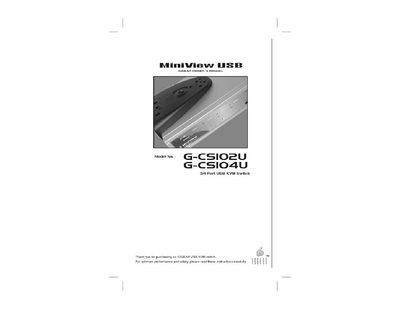
miniview USB G-CSIO2U USB G-CSIO4U Manual
The MiniView™ USB KVM switch from IOGEAR provides a compact, plug‑and‑play solution for sharing a monitor, keyboard, mouse and up to four USB peripherals across two (G‑CS102U) or four (G‑CS104U) PCs. It works with Windows, Mac OS and other USB‑compliant operating systems without requiring additional software.
The manual covers safety information, unpacking, installation, connection diagrams, operation modes (including Auto Scan), troubleshooting, warranty, and contact details. Front‑panel LEDs indicate selected ports and status, while the built‑in Auto Scan mode cycles through connected computers automatically.
Covers: Introduction · Features · Specifications · Installation & Connection Diagram · Operation & Port Selection · Auto Scan Mode
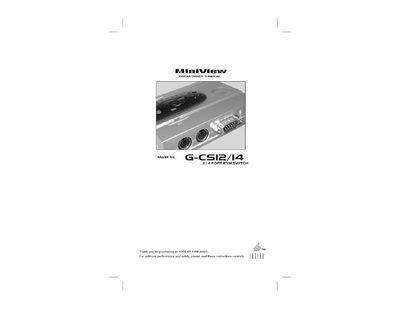
miniview USB G-CSI/I4 Manual
The MiniViewTM series by IOGEAR lets you control multiple computers from a single keyboard, mouse, and monitor. The manual covers everything from unpacking and hardware requirements to detailed installation steps and operation methods such as manual port selection, hot‑key switching, auto‑scan, and next/last modes.
Additional sections include troubleshooting tips, warranty information, and contact details for IOGEAR support. The guide also lists the included accessories, cable requirements, and compatibility notes for keyboards, mice, and video resolutions.
Covers: Introduction · Features · Hardware Requirements · Installation · Operation · Port Selection
Latest miniview manuals
miniview USB G-CSIO2U USB G-CSIO4U Manual
User Manual 18 pages · 158 KB · ENThe IOGEAR MiniView USB KVM switch lets you share one monitor, keyboard and mouse, plus up to four USB devices, between two or four computers.
miniview USB G-CSI/I4 Manual
User Manual 18 pages · 92 KB · ENThe IOGEAR MiniView G‑CS12/G‑CS14 KVM switch manual provides installation, operation, and troubleshooting instructions.
Which document do I need?
User Manual
Day-to-day operation, settings and troubleshooting. Start here if the product is already set up.
Questions answered in miniview manuals
How many USB devices can be shared with the MiniView USB KVM switch?
The switch can share up to four USB devices among the connected computers.
What video resolutions does the MiniView USB KVM support?
It supports video resolutions up to 1920 × 1440.
How many cables are included with the G‑CS12 model?
The G‑CS12 model comes with two custom cables.
Can the MiniViewTM be used with an AT keyboard?
Yes, but you must use a PS/2‑AT adapter to connect the AT keyboard to the MiniViewTM.