
Key facts
- Manuals
- 4
- Languages
- EN · ZH
- Last added
- 2012-05-09
Featured LSILOGIC manuals
LSI MegaRAID SAS Software User Guide
This guide provides detailed instructions for using LSI’s MegaRAID SAS Software, including the MegaRAID Storage Manager, WebBIOS, and the MegaRAID Command Tool (MegaCLI). It is intended for administrators who configure, monitor, and maintain RAID controllers and the attached storage devices.
The manual is organized into chapters covering RAID concepts, the WebBIOS configuration utility, the MegaRAID Command Tool, installation and navigation of the Storage Manager, configuration procedures, event monitoring, and maintenance tasks. Appendices list event messages and a glossary of storage terms.
Covers: Introduction to RAID · WebBIOS Configuration Utility · MegaRAID Command Tool · MegaRAID Storage Manager Overview and Installation · MegaRAID Storage Manager Window and Menus · Configuration
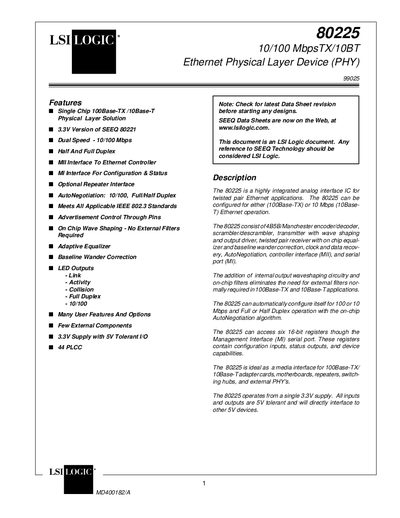
LSILOGIC 80225 10/100 MbpsTX/10BT Ethernet Physical Layer Device (PHY) Manual
The 80225 Ethernet Physical Layer Device (PHY) provides a single‑chip solution for 10/100 Mbps Ethernet applications. It supports dual‑speed operation, half‑ and full‑duplex modes, auto‑negotiation, and includes on‑chip wave shaping, equalizer, and baseline wander correction, eliminating the need for external filters.
The device is supplied in a 44‑pin plastic leaded chip carrier (PLCC) and operates from a 3.3 V supply with 5 V‑tolerant I/O. Pin functions include LED status indicators, management interface (MI), and optional repeater control. Detailed pin descriptions, functional blocks, and mechanical dimensions are provided in the document.
Covers: Features · Description · Pin Configuration · Pin Description · Block Diagram · Functional Description
LSI Logic 8408E/8308E SAS RAID Card User Manual
This manual provides detailed instructions for installing and configuring the LSI Logic 8408E/8308E SAS RAID card in Inspur servers. It includes RAID concepts, supported levels, and step‑by‑step guidance for using the WebBIOS Configuration Utility and MegaRAID Storage Manager.
Additional sections cover driver installation, operating‑system specific installation procedures, firmware updating, and technical support contacts. The document is written in Chinese and targets server administrators who need to set up reliable storage solutions.
Covers: RAID Basics and Features · RAID Card Configuration and Use · MegaRAID Storage Manager · Driver Disk Usage · Operating System Installation Guide · Firmware Update Procedure
Latest LSILOGIC manuals
LSILOGIC megaRAID Configuration Software USER'S GUIDE
Describes LSI Logic Corporation's MegaRAID software tools and utilities
LSI MegaRAID SAS Software User Guide
User Manual 246 pages · 4.6 MB · ENThe LSI MegaRAID SAS Software User Guide explains installation, configuration, and management of MegaRAID Storage Manager and related utilities.
LSILOGIC 80225 10/100 MbpsTX/10BT Ethernet Physical Layer Device (PHY) Manual
Datasheet 69 pages · 716 KB · ENThe LSI Logic 80225 is a 10/100 Mbps Ethernet PHY with auto‑negotiation, LED indicators and a 44‑pin PLCC package, detailed in this datasheet.
LSI Logic 8408E/8308E SAS RAID Card User Manual
User Manual 39 pages · 1.6 MB · ZHUser manual for the LSI Logic 8408E/8308E SAS RAID card covering configuration, features and OS installation.
Which document do I need?
User Manual
Day-to-day operation, settings and troubleshooting. Start here if the product is already set up.
Datasheet
Ratings, dimensions and ordering codes, for selection and design work.
Questions answered in LSILOGIC manuals
How do I create a storage configuration with the WebBIOS utility?
Use the WebBIOS Configuration Utility’s Configuration Wizard, Auto Configuration, or Custom Configuration options to create and manage storage configurations.
What is the command‑line tool for managing MegaRAID controllers?
The MegaRAID Command Tool (MegaCLI) is a CLI application for SAS controllers that allows creation and management of storage configurations.
How many pins does the 80225 have and what package is used?
The device is provided in a 44‑pin plastic leaded chip carrier (PLCC) package.
From: LSILOGIC 80225 10/100 MbpsTX/10BT Ethernet Physical Layer Device (PHY) Manual
How is auto‑negotiation enabled on the 80225?
Auto‑negotiation is enabled by setting the ANEG pin high.
From: LSILOGIC 80225 10/100 MbpsTX/10BT Ethernet Physical Layer Device (PHY) Manual