
Key facts
- Manuals
- 5
- Languages
- ZH
- Last added
- 2011-11-03
Featured LaCinema manuals
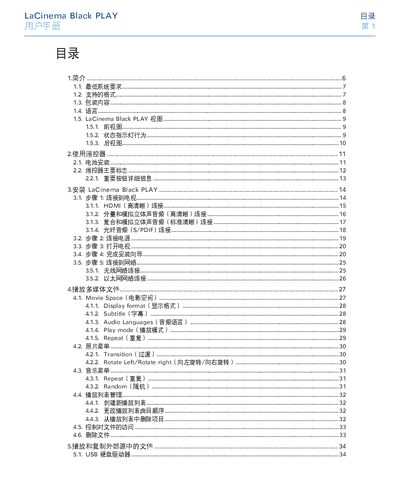
LaCie Black PLAY User Manual
This manual introduces the LaCie Black PLAY media player, its hardware interfaces, and the steps needed to install it with a TV or network. It also covers remote‑control operation, supported video/audio/photo formats, and how to manage playlists and external storage.
Additional sections detail the settings menu, firmware updates, troubleshooting tips, warranty information, and contact details for LaCie technical support. This manual is written in Chinese.
Covers: Introduction · Minimum System Requirements · Supported Formats · Packaging Contents · Remote Control · Installation
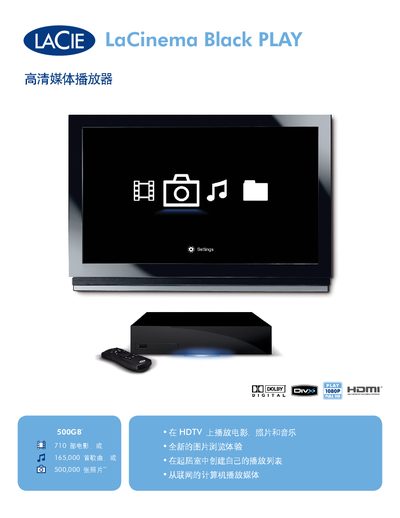
LaCie Black PLAY Media Player User Manual
The LaCie Black PLAY is a high‑definition media player designed for HDTVs. It offers large storage capacity, USB expansion, and network connectivity via UPnP, allowing playback of movies, photos, and music from a PC, Mac, or network source.
The manual covers supported video and audio formats, hardware interfaces (HDMI, component, composite, optical audio, Ethernet, Wi‑Fi), installation steps, remote‑control operation, and technical specifications such as storage options, dimensions, and power requirements. This manual is written in Chinese.
Covers: Features · Supported Formats · Connectivity · Installation · Remote Control · Technical Specifications
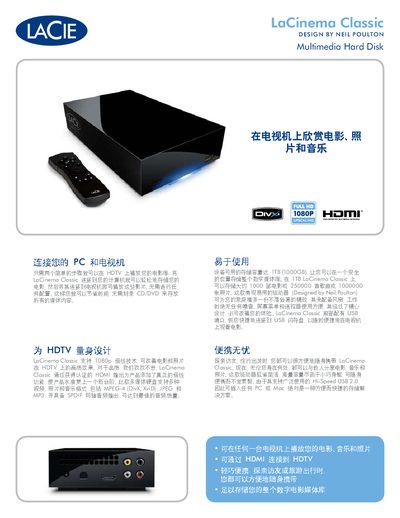
LaCie LaCinema Classic Multimedia Hard Disk User Manual
The LaCinema Classic is a fan‑less, portable hard disk designed for HDTVs. Connect it to a PC to store media, then plug the HDMI cable into a TV to play movies, music and photos without any configuration. The device includes a remote control, on‑screen menu and a front‑panel USB port for quick access to files.
The unit supports 1080p full‑HD video, HDMI output, SPDIF coaxial audio, and a wide range of file formats (MPEG‑4, DivX, XviD, MP3, WMA, JPEG, etc.). It works with any PC or Mac that has a USB port and runs Windows XP SP2, Vista, or macOS 10.3 or later. The package contains the hard disk, power adapter, HDMI cable, USB cable, remote, quick‑install guide and utility CD. This manual is written in Chinese.
Covers: Connecting to PC and TV · Supported Media Formats · Technical Specifications · System Requirements · Package Contents · Warranty
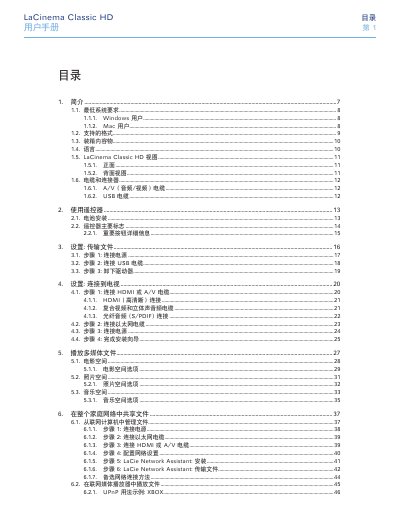
LaCie Classic HD User Manual
This manual guides you through installing and using the LaCie Classic HD network media player. It covers everything from unpacking and connecting cables to configuring network settings and playing multimedia files.
You will find detailed sections on system requirements, supported video/audio formats, remote‑control operation, HDMI and other video connections, file transfer, network sharing, reformatting, and troubleshooting, plus warranty and support information. This manual is written in Chinese.
Covers: Introduction · Minimum System Requirements · Supported Formats · Box Contents · Cables and Connectors · Using the Remote Control
Latest LaCinema manuals
LaCie Black PLAY User Manual
User Manual 49 pages · 7.3 MB · ZHThe LaCie Black PLAY user manual provides setup, remote control, format support, and troubleshooting information for the media player.
LaCie Black PLAY Media Player User Manual
User Manual 5 pages · 2 MB · ZHThe LaCie Black PLAY media player manual explains features, connections, supported formats and setup instructions for home entertainment use.
LaCie LaCinema Classic Multimedia Hard Disk User Manual
User Manual 2 pages · 842 KB · ZHThe LaCie LaCinema Classic is a 1 TB multimedia hard disk that connects to PC and HDTV via USB and HDMI for playback of movies, music and photos.
LaCie Classic HD User Manual
User Manual 79 pages · ZHThe LaCie Classic HD user manual provides setup, operation, and troubleshooting instructions for the network media player.
LaCie LaCinema Rugged External Hard Drive User Manual
User Manual 2 pages · 564 KB · ZHThe LaCie LaCinema Rugged manual explains setup, HDMI playback, USB connection, supported media formats, and key specifications.
Which document do I need?
User Manual
Day-to-day operation, settings and troubleshooting. Start here if the product is already set up.
Questions answered in LaCinema manuals
What is the best video connection for optimal quality?
Use the supplied HDMI cable for the highest video quality.
How do I reset the device to factory settings?
Press the “Reset to Factory Settings” button; the device will reset and the installation wizard will start again.
What video output connections does Black PLAY provide?
It includes HDMI, component (YUV), and composite (CVBS) video outputs.
Which audio formats are supported for playback?
Supported audio formats include MP3, WMA, AAC, OGG, AC3, MP4, WAV/LPCM.
How do I connect the LaCinema Classic to my TV?
Connect the HDMI cable from the LaCinema Classic to the TV, then power on the device; the TV will display the stored media without any configuration.
From: LaCie LaCinema Classic Multimedia Hard Disk User Manual
What is the maximum storage capacity of the LaCinema Classic?
The LaCinema Classic provides up to 1 TB (1000 GB) of storage.
From: LaCie LaCinema Classic Multimedia Hard Disk User Manual