
Key facts
- Manuals
- 1
- Languages
- ZH
- Last added
- 2012-02-13
Featured KL-W6000系列以太网数据采集模块 manuals
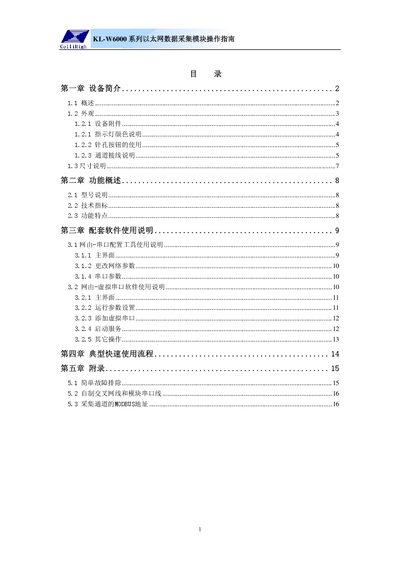
Kunlun Coast KL-W6000 Ethernet Data Acquisition Module Operating Instructions
This manual introduces the KL-W6000 series Ethernet data acquisition module, describing its physical appearance, accessories, indicator LEDs, button functions, and wiring diagrams for analog, switch, and relay channels. It also provides dimensions and a list of supplied items.
The document explains the module's functional features, technical specifications, and how to configure network parameters and serial settings using the provided configuration tools. It includes a typical quick‑use workflow, troubleshooting tips, and detailed MODBUS address information for data collection. This manual is written in Chinese.
Covers: Device Introduction · Functional Overview · Software Usage Instructions · Typical Quick Use Procedure · Appendix
Latest KL-W6000系列以太网数据采集模块 manuals
Kunlun Coast KL-W6000 Ethernet Data Acquisition Module Operating Instructions
User Manual 18 pages · 646 KB · ZHThe operating instructions guide for the Kunlun Coast KL-W6000 Ethernet data acquisition module, covering hardware overview, wiring, network setup, and…
Which document do I need?
User Manual
Day-to-day operation, settings and troubleshooting. Start here if the product is already set up.
Questions answered in KL-W6000系列以太网数据采集模块 manuals
How do I switch between serial configuration mode and virtual serial mode?
Press the needle‑hole button briefly; the LED changes from green to red or vice versa, toggling between serial and virtual serial modes.
From: Kunlun Coast KL-W6000 Ethernet Data Acquisition Module Operating Instructions
What are the default network settings for the module?
The factory defaults are IP 192.168.0.72, server IP 192.168.0.253, port 8000, gateway 192.168.0.1, subnet mask 255.255.255.0, and device address 1.
From: Kunlun Coast KL-W6000 Ethernet Data Acquisition Module Operating Instructions