
Key facts
- Manuals
- 1
- Languages
- JA
- Last added
- 2012-03-13
Featured JMC-228 manuals
JMC JMC-228 User Manual
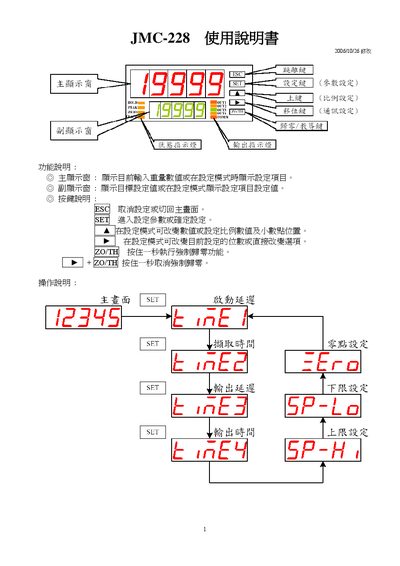
This manual describes the functions and operation of the JMC-228, including how to view current weight values, set target values, and use the various filter modes. It also explains the user interface, key functions, and safety notes for proper use.
The document details parameter configuration such as dynamic range, offset, zero‑time, input limits, and communication settings (Modbus RTU/ASCII, baud rates, parity, data bits). It includes wiring diagrams for external connections and instructions for resetting the device to factory defaults. This manual is written in Japanese.
Covers: Function Description · Operation Instructions · Parameter Settings · General Options · Communication Settings · Modbus Configuration
Latest JMC-228 manuals
JMC JMC-228 User Manual
User Manual 6 pages · 309 KB · JAThe JMC-228 User Manual provides operating instructions, configuration settings, and communication parameters for the device.
Which document do I need?
User Manual
Day-to-day operation, settings and troubleshooting. Start here if the product is already set up.
Questions answered in JMC-228 manuals
How do I modify a parameter setting?
Select the desired parameter, press the SET key for a few seconds, change the value, and confirm the change as described in the manual.
From: JMC JMC-228 User Manual
How do I exit the parameter setting screen?
Press the ESC key to return to the main screen.
From: JMC JMC-228 User Manual