
Key facts
- Manuals
- 2
- Languages
- EN
- Last added
- 2012-03-17
Featured iPad manuals
Apple iPad to HDMI User Manual
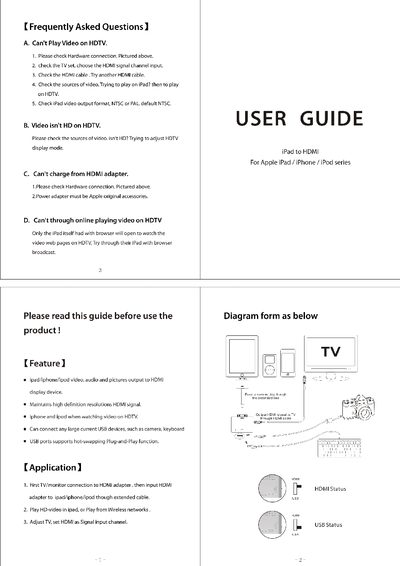
The document provides step‑by‑step instructions for connecting an iPad, iPhone, or iPod to a TV or monitor using an HDMI adapter. It covers hardware setup, selecting the HDMI input on the display, and configuring video output formats (NTSC/PAL).\n\nA FAQ section addresses common problems such as video playback failures, low‑resolution output, charging issues, and online video streaming, offering simple checks and solutions.
Covers: Frequently Asked Questions · Features · Application · Connection Diagram · HDMI Status · USB Status
Latest iPad manuals
iPad (iOS 4.2) information Service Manual
This important product information guide contains safety, operation, handling and recycling, regulatory and software license information, as well as iPad's one-year limited warranty.
Apple iPad to HDMI User Manual
User Manual 1 pages · 2.2 MB · ENThis guide explains how to connect an Apple iPad, iPhone, or iPod to an HDMI display and troubleshoot common issues.
Which document do I need?
User Manual
Day-to-day operation, settings and troubleshooting. Start here if the product is already set up.
Questions answered in iPad manuals
Why can't I play video on my HDTV?
Check the hardware connection, select the HDMI input on the TV, try a different HDMI cable, ensure the video source is from the iPad, and verify the iPad video output format (NTSC or PAL).
Why isn't the video HD on my HDTV?
Make sure the video source itself is HD and adjust the HDTV display mode if necessary.