
Key facts
- Manuals
- 1
- Languages
- ZH
- Last added
- 2012-02-02
Featured Hyper manuals
Hyper Hyper Card SIM Card Adapter User Manual
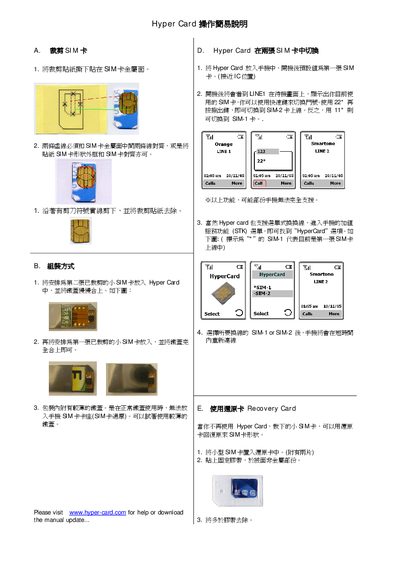
The Hyper Card allows you to insert two SIM cards and switch between them on a compatible phone. First, place the SIM stickers on the metal side of each SIM, then insert the SIMs into the Hyper Card slots as described in sections A and B. After closing the card, the phone will recognize the active SIM.
You can switch between SIM‑1 and SIM‑2 using the designated shortcut keys (e.g., *22* for SIM‑2 and *11* for SIM‑1) or via the phone's STK menu. The card also includes a Recovery Card function to restore a previously used SIM if the Hyper Card is no longer needed. This manual is written in Chinese.
Covers: SIM Sticker Placement · Installation Procedure · SIM Switching · Recovery Card Usage
Latest Hyper manuals
Hyper Hyper Card SIM Card Adapter User Manual
User Manual 1 pages · 383 KB · ZHBrief instructions for using the Hyper Card SIM card adapter to install and switch between two SIM cards on a mobile phone.
Which document do I need?
User Manual
Day-to-day operation, settings and troubleshooting. Start here if the product is already set up.
Questions answered in Hyper manuals
How can I switch between SIM‑1 and SIM‑2 on the phone?
After the phone powers on, press the shortcut key *22* to switch to SIM‑2 or *11* to switch back to SIM‑1.