
Key facts
- Manuals
- 2
- Languages
- EN · ZH
- Last added
- 2000-01-01
Featured HDD manuals
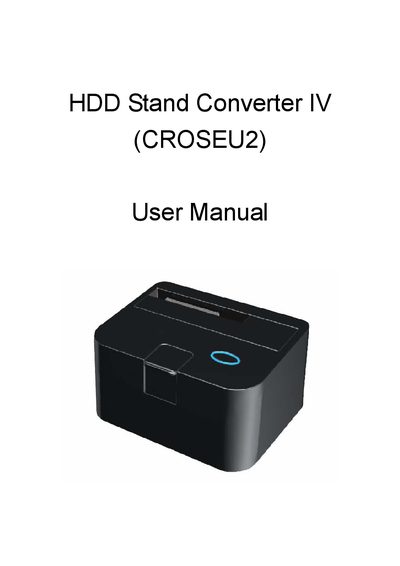
HDD CROSEU2 Stand Converter User Manual
The HDD Stand Converter IV (CROSEU2) is a compact docking unit that allows direct insertion of 2.5" or 3.5" SATA hard drives for easy access and data transfer. It supports USB 2.0 and eSATA connections and includes power and status LEDs.
Installation is performed by releasing the drive with the push button, connecting the appropriate SATA or eSATA cable, and powering the unit with the supplied 12V/2A adaptor. LEDs indicate power and access status, and the manual provides special tips for safely removing the HDD.
Covers: Introduction · Features · Package contents · Hardware installation · Disk installation · Special help for removing the HDD
HDD Viewer SATA/IDE to USB 2.0 Installation Guide
The HDD Viewer SATA/IDE to USB 2.0 adapter lets you connect SATA or IDE hard drives to a computer via USB 2.0. The manual covers system requirements, hardware and software installation, and how to use the HDD Viewer application for video playback, backup, and editing.
It provides step‑by‑step instructions for installing the driver and the HDD Viewer program from CD or command line, wiring the adapter, and configuring GPS and time‑stamp features. Advanced sections describe how to back up video files as AVI or JPEG, edit recordings, and use the virtual serial port. This manual is written in Chinese.
Covers: Product Overview · System Requirements · Adapter Introduction · Installation · Software Installation · Hardware Installation
Latest HDD manuals
HDD CROSEU2 Stand Converter User Manual
User Manual 5 pages · 192 KB · ENThe HDD CROSEU2 Stand Converter User Manual provides setup, installation, and usage instructions for the SATA HDD docking unit.
HDD Viewer SATA/IDE to USB 2.0 Installation Guide
Installation Guide 26 pages · 2.5 MB · ZHThis guide explains how to set up the HDD Viewer SATA/IDE to USB 2.0 adapter, install the software, and perform basic and advanced operations.
Which document do I need?
User Manual
Day-to-day operation, settings and troubleshooting. Start here if the product is already set up.
Installation Guide
Mounting, wiring and first power-up. Read it before the hardware goes in.
Questions answered in HDD manuals
What HDD sizes are compatible with the converter?
The converter works with all 2.5" or 3.5" SATA hard drives.
What are the USB and eSATA transfer speeds?
USB 2.0 provides up to 480 Mbps, while eSATA offers up to 3.0 Gbps.
What are the system requirements for the HDD Viewer adapter?
The minimum requirement is a Pentium III 500 PC with at least 64 MB RAM and Windows NT/2000/2003/XP; the recommended requirement is a Pentium III 800 PC with 128 MB RAM.
What power supply does the adapter require?
It uses a switching power supply with an input of 100‑240 V 50‑60 Hz and dual outputs of 12 V/2 A and 5 V/2 A.