
Key facts
- Manuals
- 4
- Languages
- ZH
- Last added
- 2012-08-06
Featured HandHeld manuals

Hand Held Products 3820/4820/4820i Handheld Image Scanner Quick Start Guide
The guide explains how to connect the scanner to its cradle, power up the unit, and establish a link with a PC. It covers USB and RS‑232 keyboard‑port connections, and describes the green LED indicator that shows the battery is charging.
It also details scanning tips, keyboard region settings for different countries, trigger mode selection (manual or presentation), suffix options (carriage return, tab, ID prefix), and function‑code transmission. Warranty information and contact details are provided at the end of the document. This manual is written in Chinese.
Covers: Getting Started · Connecting the Cradle · Scanning Tips · PC Interface · Keyboard Region Settings · Trigger Modes
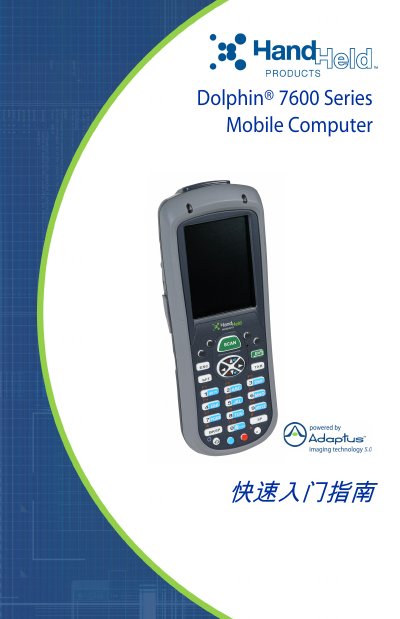
Hand Held Products Dolphin 7600 Series Mobile Computer Quick Start Guide
The guide walks users through the initial steps for the Dolphin 7600 Series mobile computer, including checking the package contents, installing the 3.7 V lithium‑ion battery, charging the device, and starting the operating system (Windows CE or Windows Mobile). It also explains how to perform soft and hard resets and where to find the full user’s guide.
Technical support contact information for North America, Latin America, Europe, the Middle East, Africa, and the Asia‑Pacific region is provided, along with warranty details that cover terminals, touch screens, batteries, and accessories when only Hand Held Products parts are used. This manual is written in Chinese.
Covers: Unpacking the Package · Battery Installation · Charging the Battery · Power‑On Procedure · Device Reset · Technical Support Contacts
Latest HandHeld manuals
HandHeld 3200 user manual
3200 Linear Imager User’s Guide
HandHeld 4600g 4600r 4600rp 4800i QuickStart Guide
Hand Held Products 3820/4820/4820i Handheld Image Scanner Quick Start Guide
Quick Start Guide 22 pages · 627 KB · ZHThis Quick Start Guide shows how to connect, configure, and operate the Hand Held Products 3820, 4820, and 4820i handheld image scanners.
Hand Held Products Dolphin 7600 Series Mobile Computer Quick Start Guide
Quick Start Guide 12 pages · 933 KB · ZHThis quick start guide shows how to unpack, install the battery, charge, power on, and get basic support for the Hand Held Products Dolphin 7600 Series…
Which document do I need?
Quick Start Guide
The shortest path to a working setup, usually only a few pages.
Questions answered in HandHeld manuals
How do I connect the scanner to a PC?
Close the computer power, connect the cradle, turn the power on, place the scanner in the cradle; the green LED will flash indicating the battery is charging.
From: Hand Held Products 3820/4820/4820i Handheld Image Scanner Quick Start Guide
How can I set the keyboard region for a non‑US country?
Scan the barcode for your country/region code, then scan the numeric barcode and finally scan the save barcode to store the setting.
From: Hand Held Products 3820/4820/4820i Handheld Image Scanner Quick Start Guide
How do I install the main battery?
Use only the lithium‑ion battery supplied by Hand Held Products and follow the installation steps shown in the guide.
From: Hand Held Products Dolphin 7600 Series Mobile Computer Quick Start Guide
How can I reset the device?
Perform a soft reset by holding the red button and the ESC key for about 5 seconds, or a hard reset by holding the red button and the TAB key for about 5 seconds.
From: Hand Held Products Dolphin 7600 Series Mobile Computer Quick Start Guide